Other Kubernetes Distributions
Prerequisites
-
Cluster prerequisites are met
-
Install Stork
Add the cluster to Portworx Backup
-
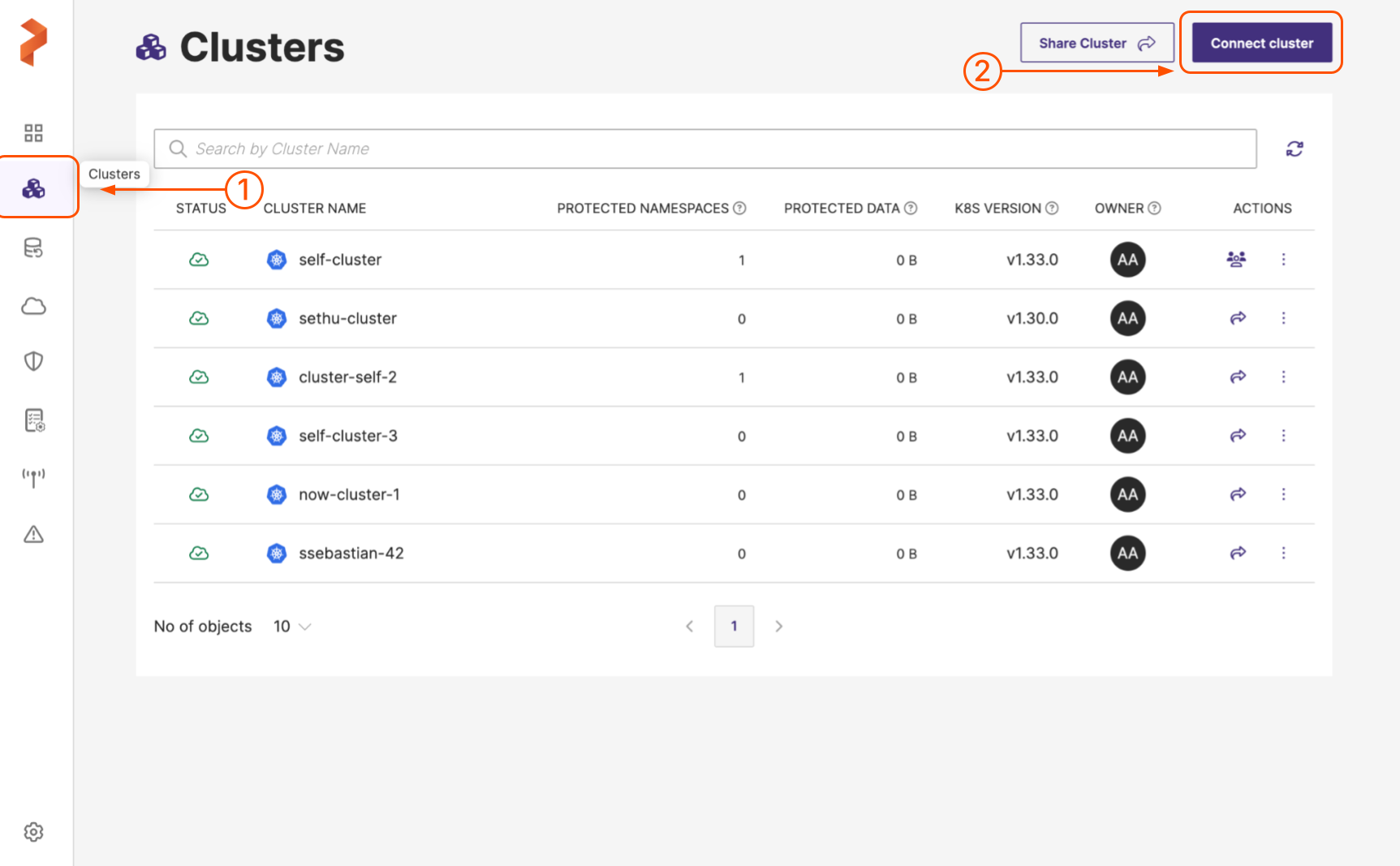
In the home page, from the left navigation pane, click Clusters.
-
In the upper-right corner, click Connect cluster:
-
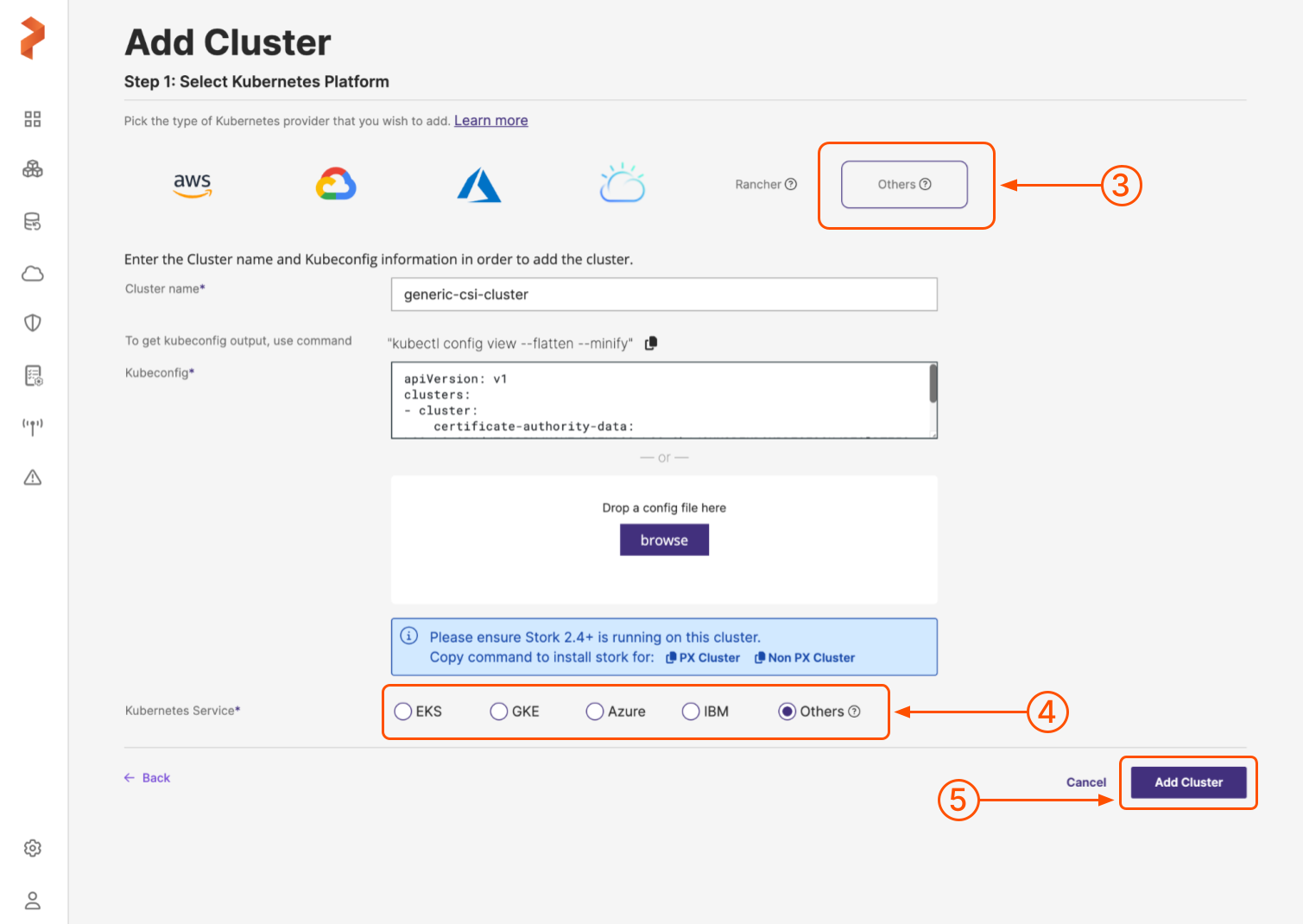
In the Add Cluster page, under Select Kubernetes Platform, select Others and then enter the cluster details:
-
Cluster name: enter a name for your cluster
-
Kubeconfig: retrieve the Kubeconfig from your cluster and paste it here or click Browse to upload it from a file
-
-
Select the Others radio button from the Kubernetes Service radio group.
-
When you're done, select the Add cluster button.
Portworx Backup adds the on-premises cluster. Once the cluster is successfully added, you are automatically redirected to the Cluster page.