Share Single Backup of a Cluster
To share an existing single backup, perform the steps below:
-
From the home page, click All Backups icon in the left navigation pane.
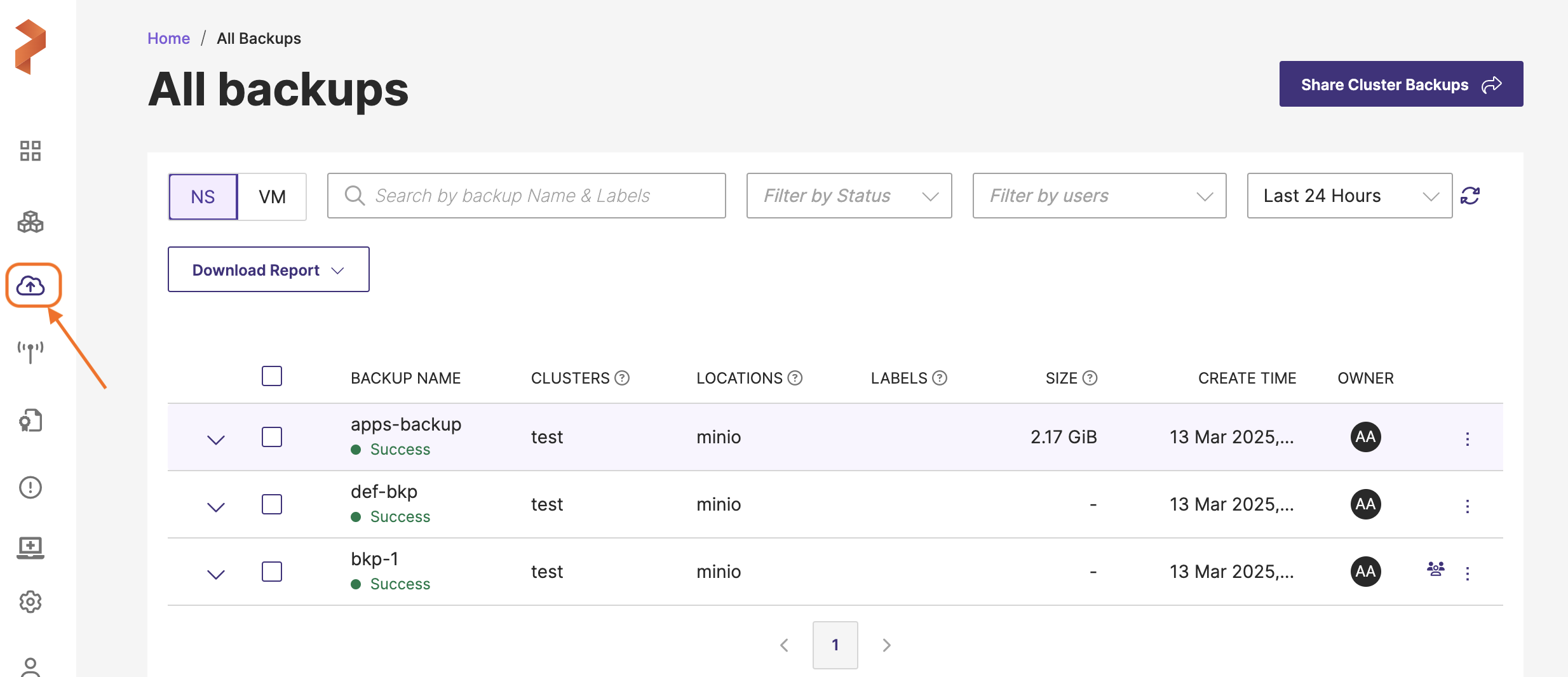
-
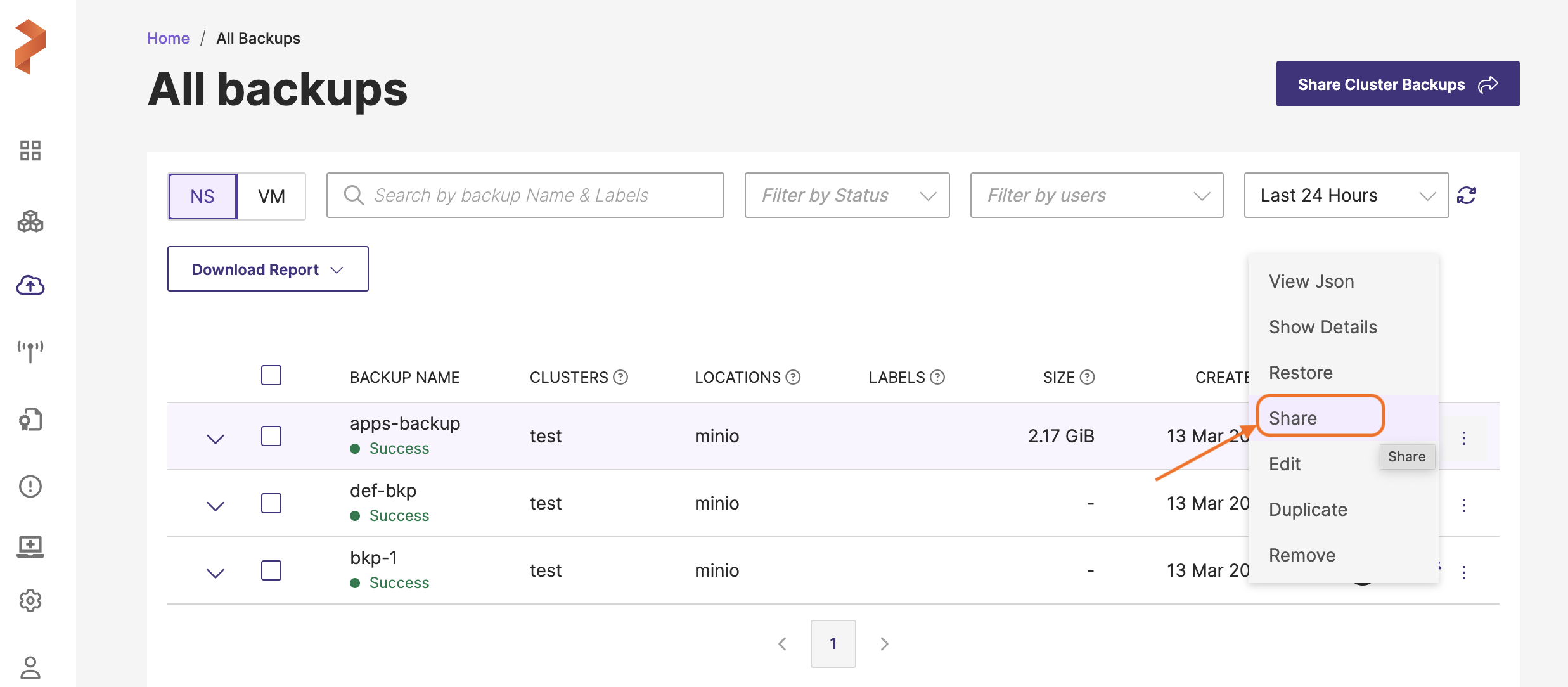
On the All Backups page, navigate to the backup you want to share.
-
Click Vertical ellipsis at the end of the backup row and select Share.
-
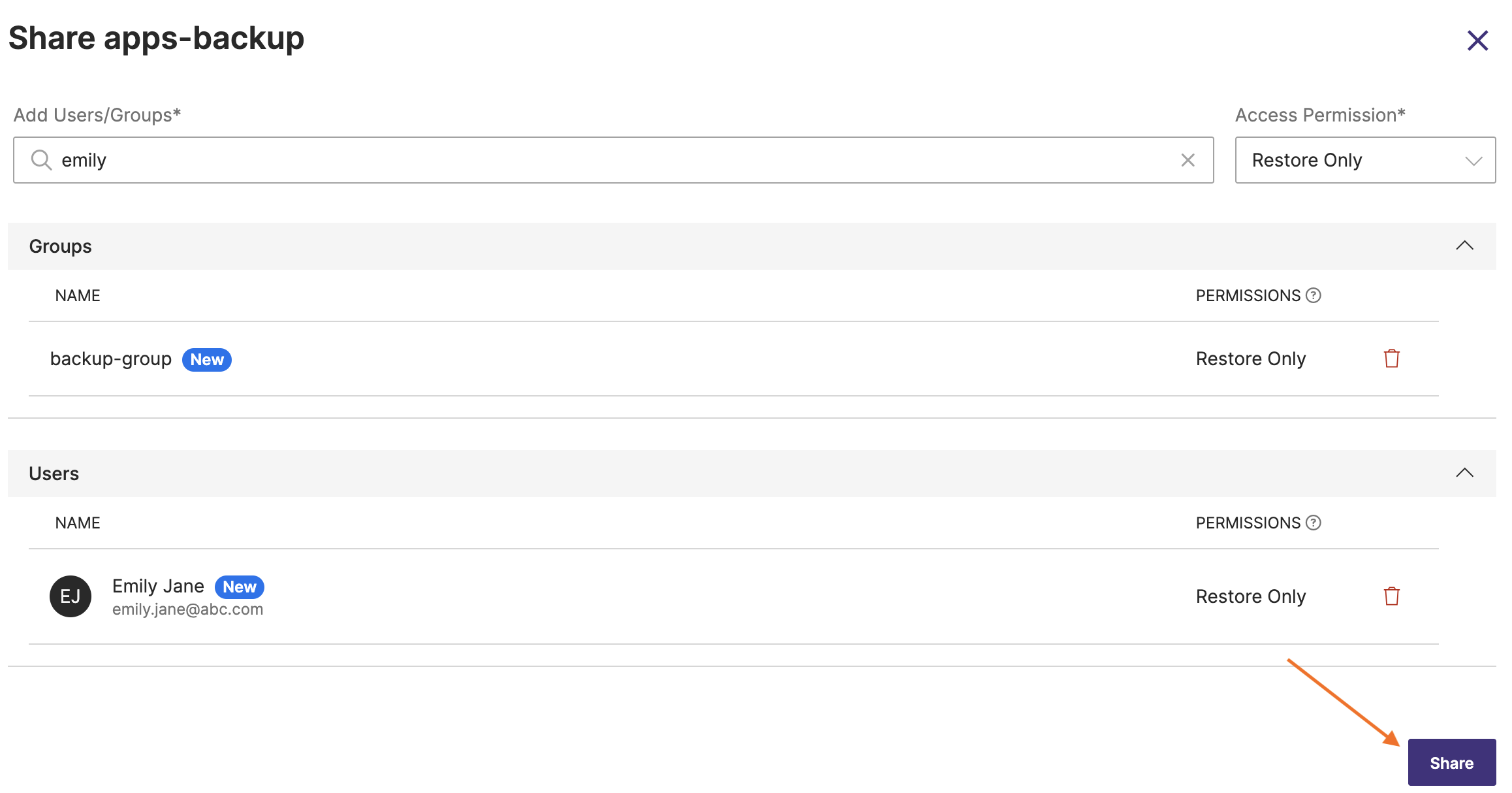
In Share Backup window, enter the name of the user(s) and/or the group(s) with whom you want to share the backups and choose the required type of access. For more information, refer Access types.
-
Click Share.
Portworx Backup displays the shared backup on the All Backups page of the user(s) or group with whom you shared the backup.
noteUsers or groups with whom you have shared the backup cannot duplicate shared backups.
Alternatively, you can share a single backup from the Portworx Backup home page.
To share a single backup from home page:
-
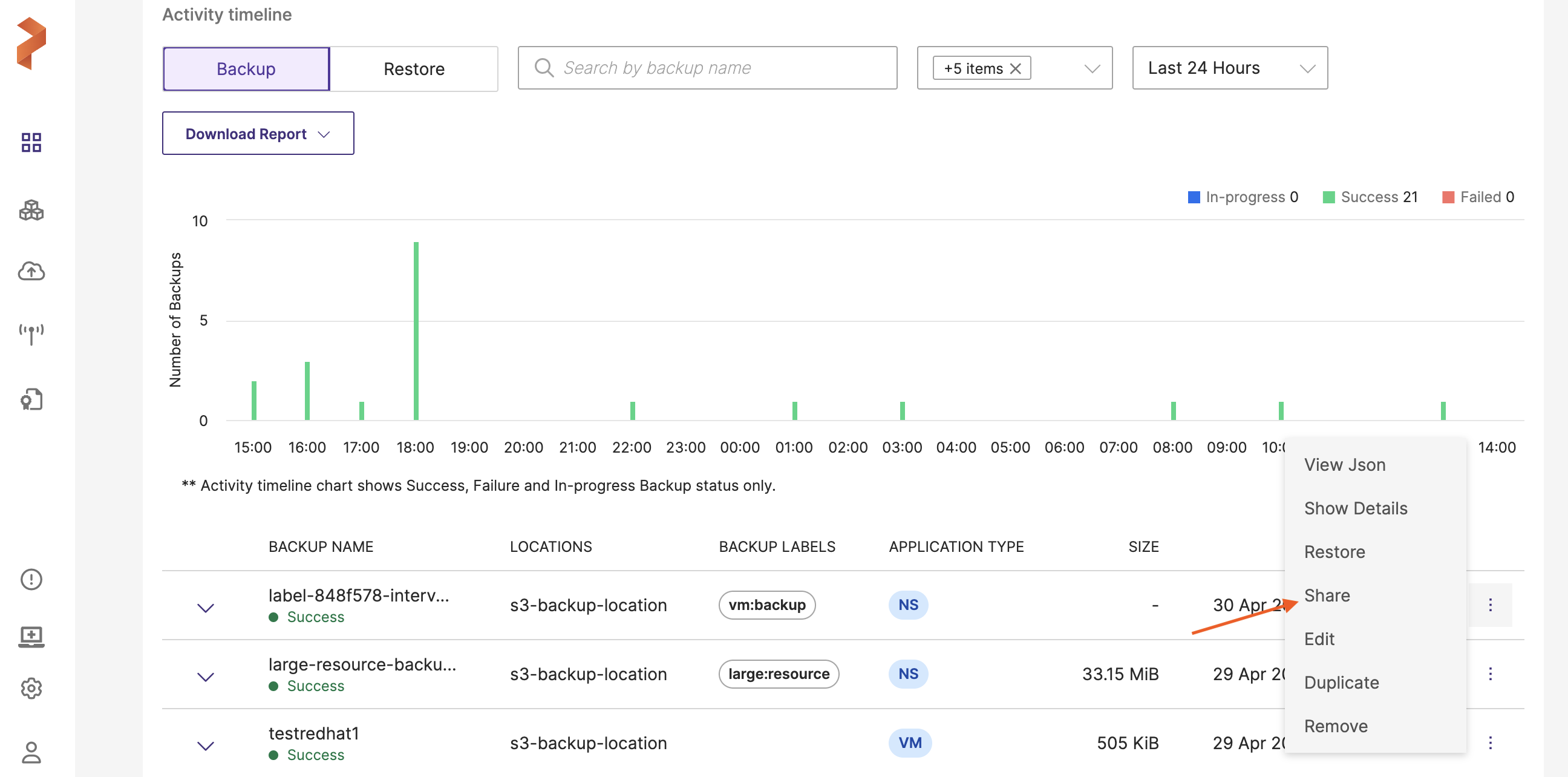
From the home page, navigate to the activity timeline and identify the backup you want to share.
-
Click Vertical ellipsis at the end of the backup row and click Share.
 note
note-
If you grant view-only access to a user while sharing all backups in a cluster and then grant restore access to the same user during single backup share, the previously granted access gets overridden and the latest granted access applies. The user gets restore access to the shared backup.
-
If you grant full access to user group A and view-only access to a user belonging to group A, the user always gets the highest level of access, which is full access in this case. If you grant view-only access to user group A and full access to a user of group A, the user gets full access because the highest level of access takes precedence.
-