Add a Portworx Backup License in a Non-Air-Gapped Environment
You can add a Portworx Backup license in a non-air-gapped environment. Portworx Backup supports both fixed node count-based and node usage-based licensing for the nodes in a non-air-gapped environment. For more information on licensing mechanism in Portworx Backup, see Licensing Mechanism In Portworx Backup.
Prerequisites
Ensure that the setup meets the following requirements before you add a Portworx Backup License to the nodes in a non-air-gapped environment:
- Install Portworx Backup in a non-air-gapped environment.
- Sign in as a super administrator (super admin) or infrastructure administrator (infra admin). For the full list of role capabilities, see the role matrix.
- Obtain the credential for your license model: the license key for a fixed node count–based license, or the subscription ID for a node usage–based license. In the Add License window, you enter these in the License Key and Subscription fields respectively (see step 6).
Procedure
To add a Portworx Backup license in a non-air-gapped environment, follow these steps:
-
Log in to Portworx Backup web console.
-
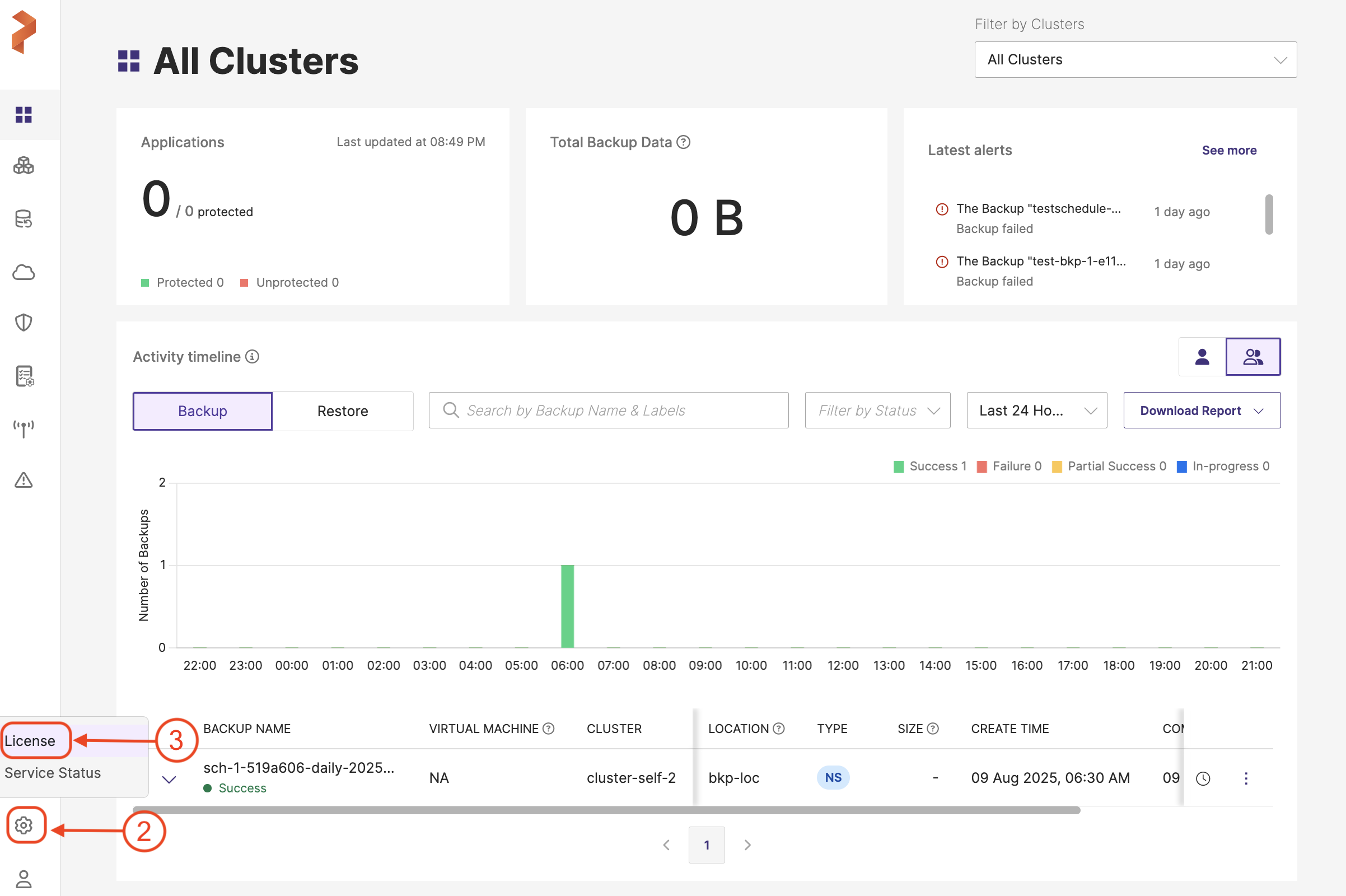
In the home page, click Settings from the bottom bar of the left navigation pane.
-
In the Settings menu, select License.
-
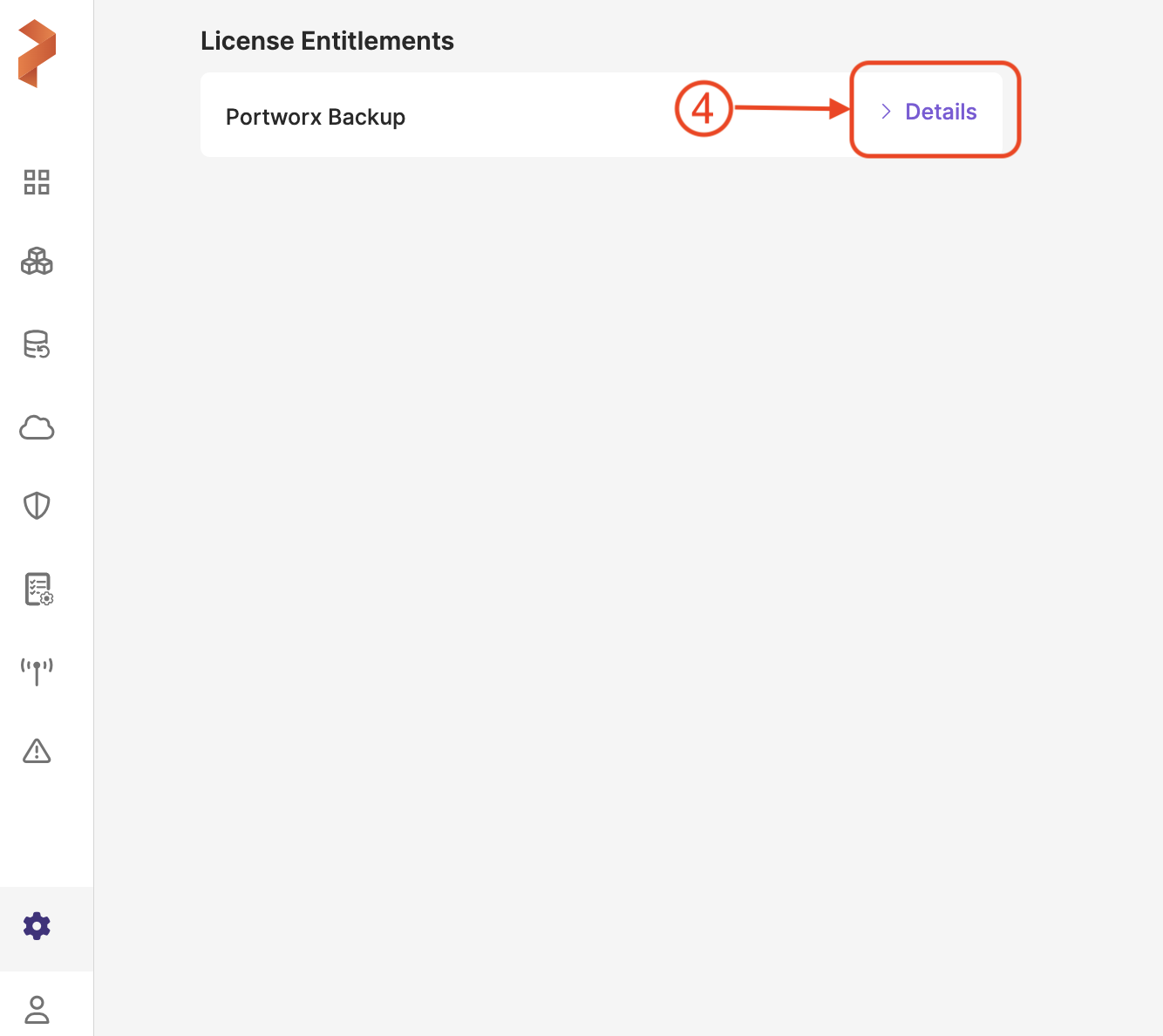
In License Entitlements page, click Details.
-
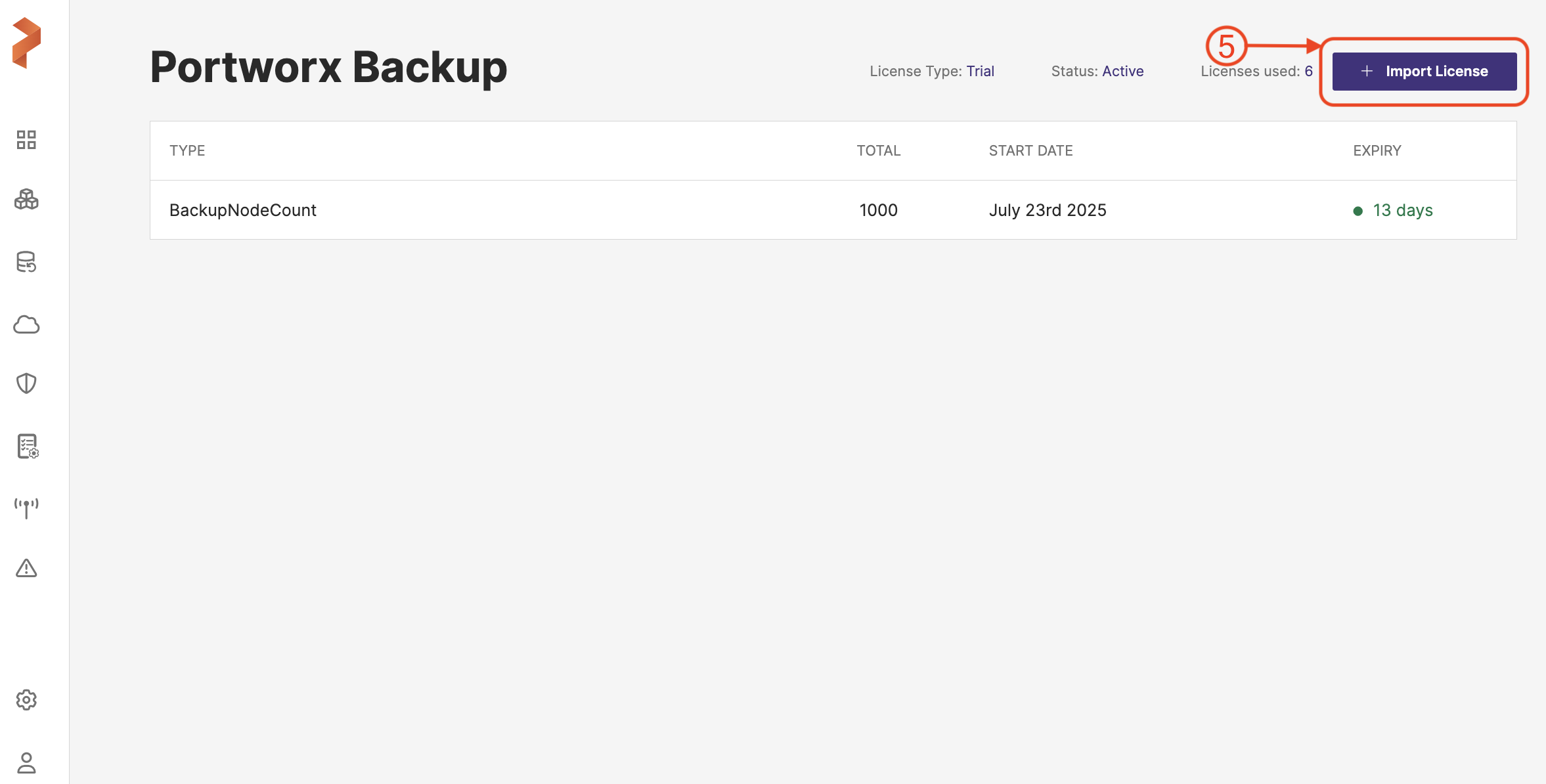
In the Portworx Backup license page, click Import License:
-
In the Add License window, choose any one of the following options:
-
License Key: Enter the license key. Use this option for fixed node count-based licensing.
-
Subscription: Enter the subscription ID. Use this option for node usage-based licensing.
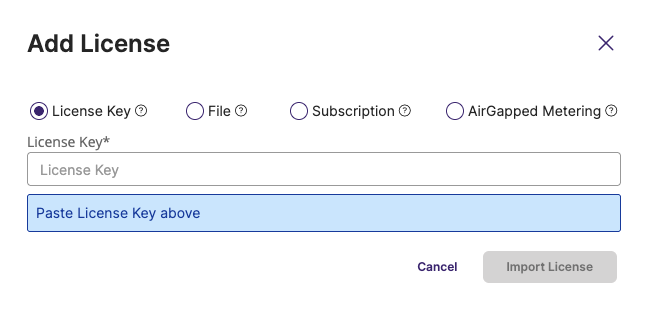
The File and AirGapped Metering options are applicable for air-gapped environment only. For more information, see Add a Portworx Backup License in an Air-Gapped Environment.
For information on licensing mechanism, see Licensing Mechanism In Portworx Backup.
-
-
Click Import License.
Based on the license that you apply in the previous step and after the license is successfully imported, the License type changes to Enterprise or Trial.
notePortworx Backup provides a soft licensing period to its users for all types of licenses. Soft licensing renders a grace period to use the product even after the actual license expiry. In addition, users can continue to back up and restore the application data onto the application cluster during this soft licensing period.