Integrate Auth0
Portworx Backup allows for the integration of Auth0 as an external authorization provider for user authentication. After users authenticate through Auth0, you control their access to Portworx Backup resources — full or restricted — using Portworx Backup role-based access control (RBAC).
Prerequisites
- Auth0 Account: Sign up for a free or paid tenant on the Auth0 website.
- Application Registration: Create an application in the Auth0 dashboard to obtain the unique configuration credentials.
- Auth0 Credentials: Retreive the Domain, Client ID, and Client Secret from the application settings.
Integrate Auth0 with Portworx Backup
To integrate Auth0 with Portworx Backup:
-
Log in to Auth0 with valid and active user credentials.
-
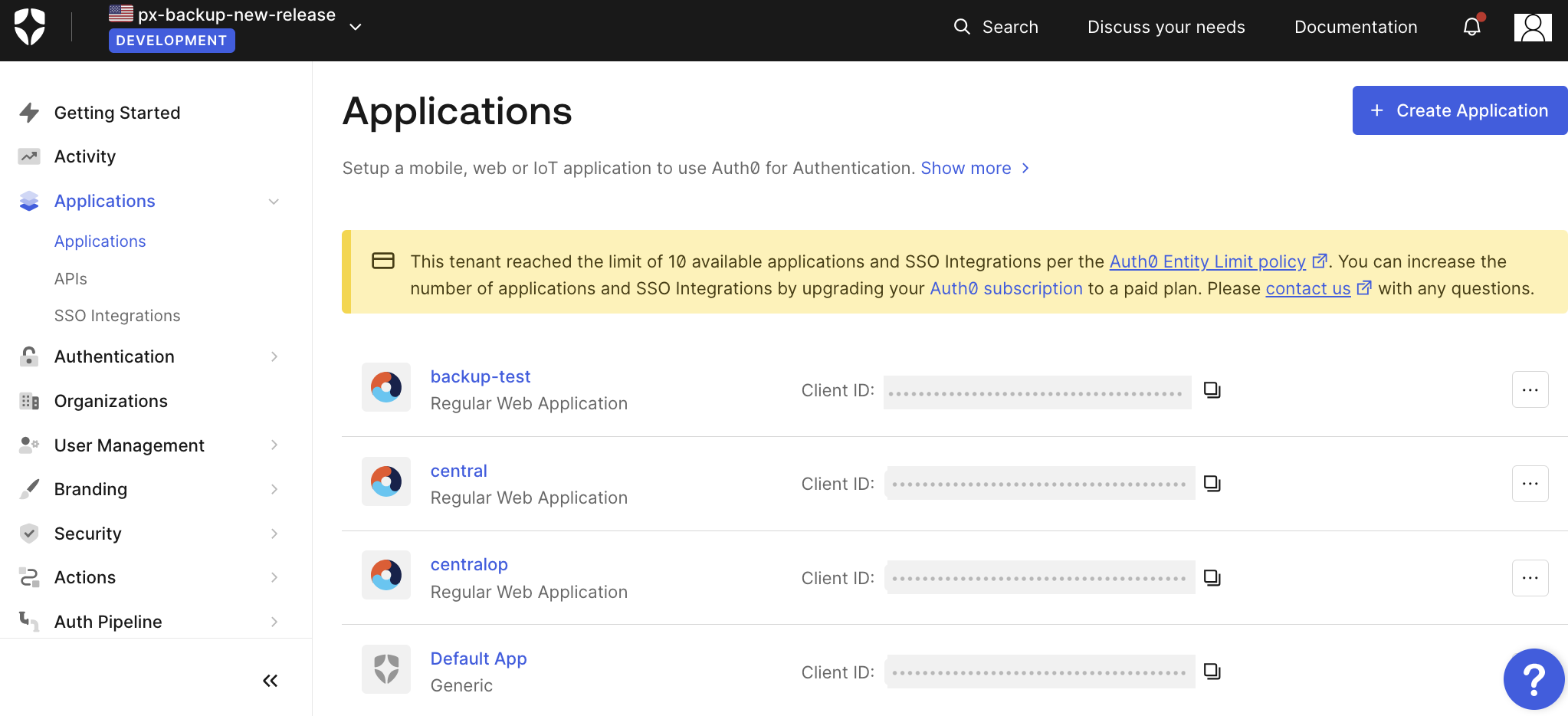
From the home page, in the left navigation pane, go to Applications >> Applications.
-
Navigate to the required user profile.
-
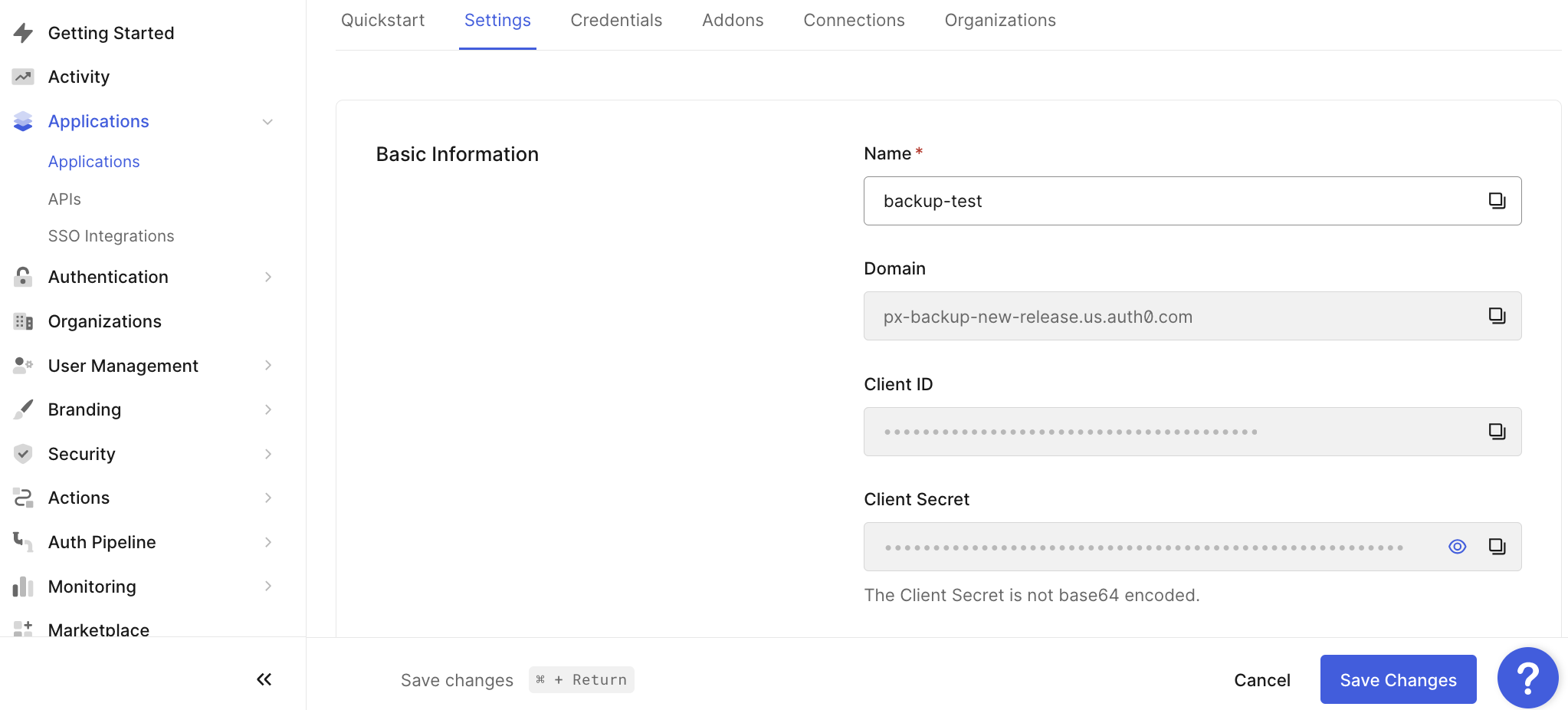
On the Settings tab, make a note of Domain, Client ID and Client Secret.
-
Enter the Domain (Endpoint), Client ID, and Client Secret in the Portworx Backup web console during installation to integrate Auth0 as an external authorization provider. For more information on these fields, see install Portworx Backup.
-
After installing Portworx Backup (and integrating Auth0), log in to the Auth0 web console.
-
Navigate to Application > Settings> Application URL and enter Portworx Backup endpoint details and click Save:
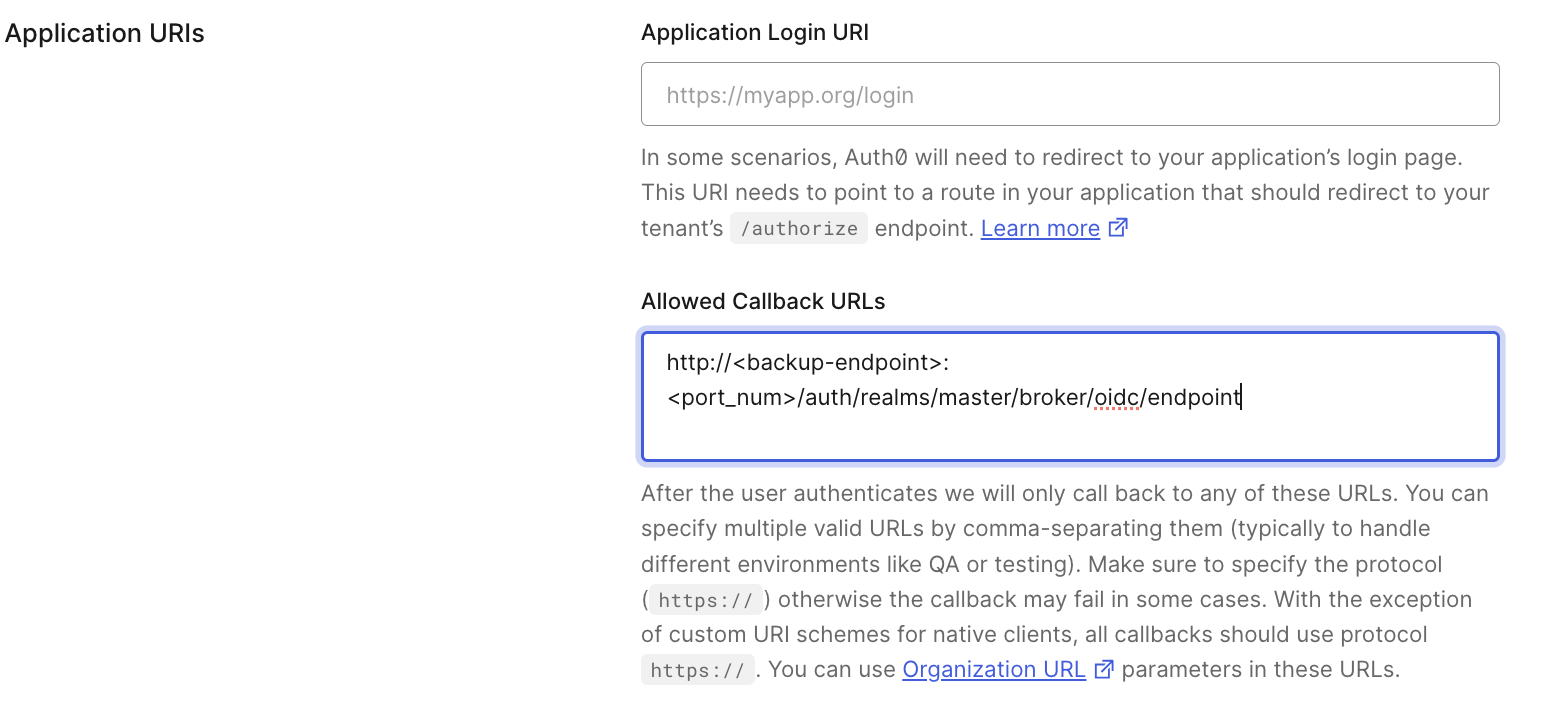
Sample endpoint value:
https://<backup-endpoint>/realms/master/broker/oidc/endpointnoteAuth0 production tenants require HTTPS callback URLs. Ensure your Portworx Backup endpoint is accessible over HTTPS before configuring the Auth0 application URL. For Portworx Backup 2.8.x and earlier, use
/auth/realms/master/broker/oidc/endpoint. For Portworx Backup 2.9.0 and later, the/authprefix is removed.
Backup endpoint
- Backup endpoint can be the IP address of a worker node or ingress URL for on-premises environments.
- For Azure, it is the external IP of the load balancer service.
- For GCP, IBM, and AWS, the backup endpoint is the load balancer URL.
Port Number
- Required only for on-premises clusters using a worker node IP or node port (typically the port of
px-central-ui servicein this case).
Related documentation: