Upgrade Portworx Operator using OpenShift Console
You must upgrade the Portworx Operator to version 23.5.0 or later to access the Portworx Cluster dashboard in the OpenShift console and to view and manage the Portworx deployment running in the cluster.
If you selected the automatic upgrade option during Portworx Operator installation, the Operator is automatically upgraded when a new version is released. If you selected the manual upgrade option while installing the Portworx Operator, follow the instructions in this section to upgrade the Operator.
-
Log in to the Openshift web console.
-
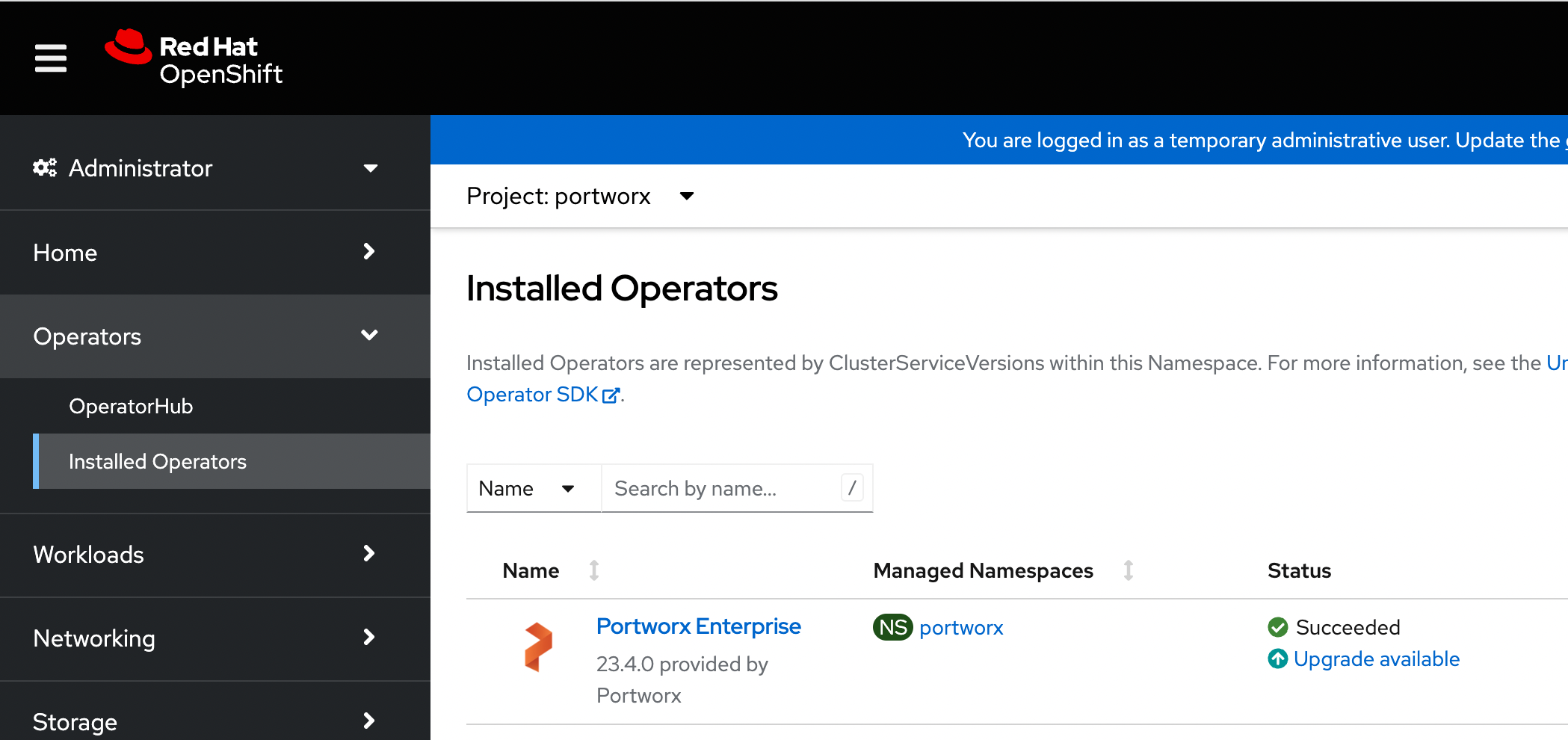
From the left navigation pane, go to Operators > Installed Operators.
The system displays the list of operators installed on your OpenShift cluster. -
From the Project drop-down menu, select portworx.
The system displays the current version of Portworx Operator installed on your cluster. -
Under Status, click Upgrade available:
-
Click Preview InstallPlan to review your installation plan.
-
Click Approve.
The system upgrades Portworx Operator.