Deploy MinIO with Portworx
MinIO is a high-performance distributed object store with an S3 compatible API. The following steps show how to deploy MinIO operator and tenant on Kubernetes.
To deploy MinIO with Portworx Enterprise, complete the following collection of tasks:
- Deploy the MinIO Operator
- Create a MinIO Tenant using the command line
- Access the tenant
- Access the MinIO tenant console and create a bucket
- Application access to the MinIO tenant
Prerequisites
- You meet the MinIO prerequisites. For more information about MinIO, refer Checklist.
- You have
kubectl-minioplugin.
Deploy the MinIO Operator
Run the following command to deploy MinIO on your Kubernetes cluster:
kubectl apply -k "github.com/minio/operator?ref=v5.0.14"
namespace/minio-operator created
customresourcedefinition.apiextensions.k8s.io/miniojobs.job.min.io created
customresourcedefinition.apiextensions.k8s.io/policybindings.sts.min.io created
customresourcedefinition.apiextensions.k8s.io/tenants.minio.min.io created
serviceaccount/console-sa created
serviceaccount/minio-operator created
clusterrole.rbac.authorization.k8s.io/console-sa-role created
clusterrole.rbac.authorization.k8s.io/minio-operator-role created
clusterrolebinding.rbac.authorization.k8s.io/console-sa-binding created
clusterrolebinding.rbac.authorization.k8s.io/minio-operator-binding created
configmap/console-env created
secret/console-sa-secret created
service/console created
service/operator created
service/sts created
deployment.apps/console created
deployment.apps/minio-operator created
Follow the steps in the MinIO documentation to deploy the MinIO Operator with version of your preference.
Create a MinIO Tenant using the command line
The example deployment in this document is not recommended for production environments. Refer to the MinIO documentation for more details.
There are multiple ways to deploy MinIO tenants. In this example, we will create a tenant using the command line.
Portworx offers a set of Storage classes out of the box. In the example, we are using the px-csi-db StorageClass to provision Portworx volumes.
-
Check the storage classes and make sure that px-csi-db is set as the default:
kubectl get scpx-csi-db (default) pxd.portworx.com Delete Immediate true 52mpx-csi-db-cloud-snapshot pxd.portworx.com Delete Immediate true 52mpx-csi-db-cloud-snapshot-encrypted pxd.portworx.com Delete Immediate true 52mpx-csi-db-encrypted pxd.portworx.com Delete Immediate true 52mpx-csi-db-local-snapshot pxd.portworx.com Delete Immediate true 52mpx-csi-db-local-snapshot-encrypted pxd.portworx.com Delete Immediate true 52mpx-csi-replicated pxd.portworx.com Delete Immediate true 52mpx-csi-replicated-encrypted pxd.portworx.com Delete Immediate true 52mstork-snapshot-sc stork-snapshot Delete Immediate true 52mIf you have a different default storage class, mark it as non-default and mark the px-csi-db StorageClass as default. Refer to the Kubernetes documentation for information about marking non-default and default storage classes.
-
Create a MinIO tenant namespace:
kubectl create ns minio-demonamespace/minio-demo created -
Create a tenant:
kubectl minio tenant create \minio-demo \--capacity 100Gi \--servers 1 \--volumes 1 \--namespace minio-demo \--storage-class px-csi-dbTenant 'minio-demo' created in 'minio-demo' NamespaceUsername: <tenant-id>Password: <tenant-password>Note: Copy the credentials to a secure location. MinIO will not display these again.APPLICATION SERVICE NAME NAMESPACE SERVICE TYPE SERVICE PORTMinIO minio minio-demo ClusterIP 443Console minio-demo-console minio-demo ClusterIP 9443In this example, the required settings are as follows:
TENANT_NAME: The name of the tenant. In this example, we are usingminio-demoas the tenant name.--capacity: The total Raw size of storage across all volumes--servers: The total number of Server Pods in the Tenant--volumes: The total number of storage Volumes.--namespace: The namespace required by the MinIO Tenant.--storage-class: The storage class to use to provision Portworx Volumes.
-
Copy the credentials displayed in the output to a secure location.
noteWhen creating the tenant, the Operator displays the access credentials to use for the tenant. This is the only time the credentials display.
-
Check the tenant pod status.
kubectl get po -n minio-demoNAME READY STATUS RESTARTS AGEminio-demo-ss-0-0 2/2 Running 0 29s -
Check Portworx volumes
kubectl get pvc -n minio-demoNAME STATUS VOLUME CAPACITY ACCESS MODES STORAGECLASS VOLUMEATTRIBUTESCLASS AGE0-minio-demo-ss-0-0 Bound pvc-f02axxxx-xxxx-xxxx-xxxx-xxxxb39c62bc 100Gi RWO px-csi-db <unset> 7m23s
Access the tenant
The Operator creates multiple services for the tenant.
-
To get service details, run the following command:
kubectl get svc -n minio-demoNAME TYPE CLUSTER-IP EXTERNAL-IP PORT(S) AGEminio ClusterIP 10.233.45.80 <none> 443/TCP 8m28sminio-demo-console ClusterIP 10.233.51.158 <none> 9443/TCP 8m28sminio-demo-hl ClusterIP None <none> 9000/TCP 8m28s
-
Applications should use the
minioservice for performing operations against the MinIO tenant. -
Administrators should use the
<TENANT-NAME>-consoleservice for accessing the MinIO Console and performing administrative operations.
-
Use port-forwarding to expose each service and access the MinIO tenant for applications or the console UI for administration.
To port-forward the MinIO tenant, run the following command:
kubectl port-forward service/minio 8443:443 -n minio-demoForwarding from 127.0.0.1:8443 -> 9000Forwarding from [::1]:8443 -> 9000To port-forward the MinIO console, run the following command:
kubectl port-forward service/minio-demo-console -n minio-demo 9443:9443Forwarding from 127.0.0.1:9443 -> 9443Forwarding from [::1]:9443 -> 9443
Access the MinIO tenant console and create a bucket
-
To temporarily connect to the MinIO tenant console, navigate to
https://localhost:9443. -
Use the credentials obtained during deployment and log in to the console.
-
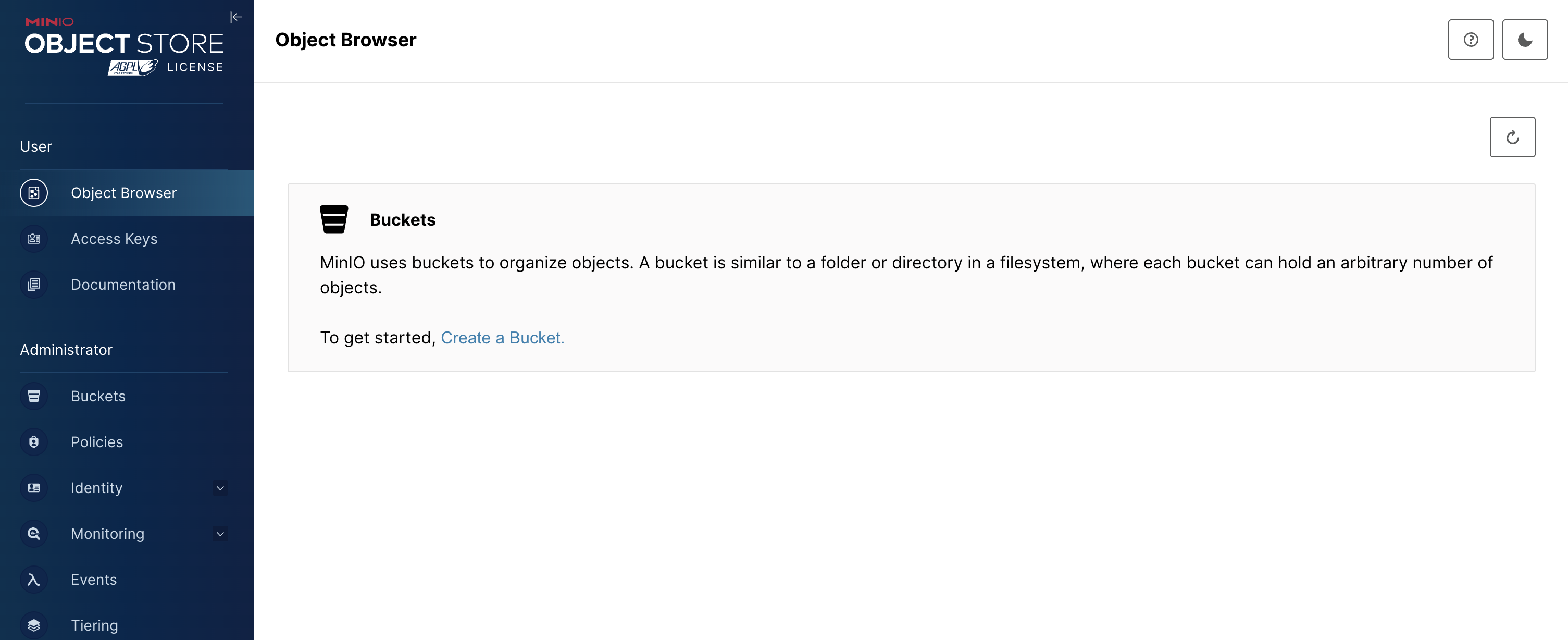
Click Create Bucket + to start bucket creation:
-
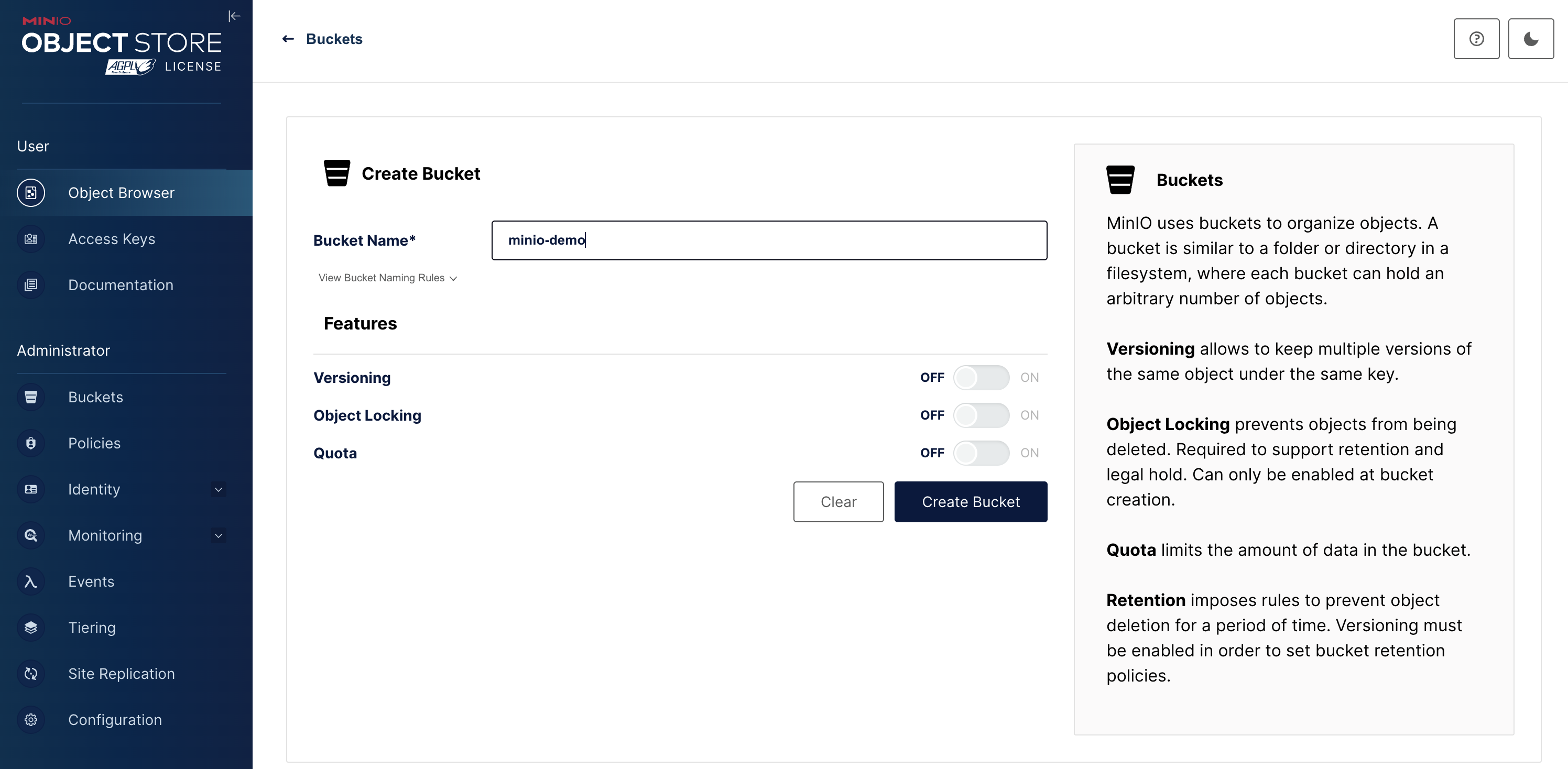
Click Create Bucket to finish bucket creation:
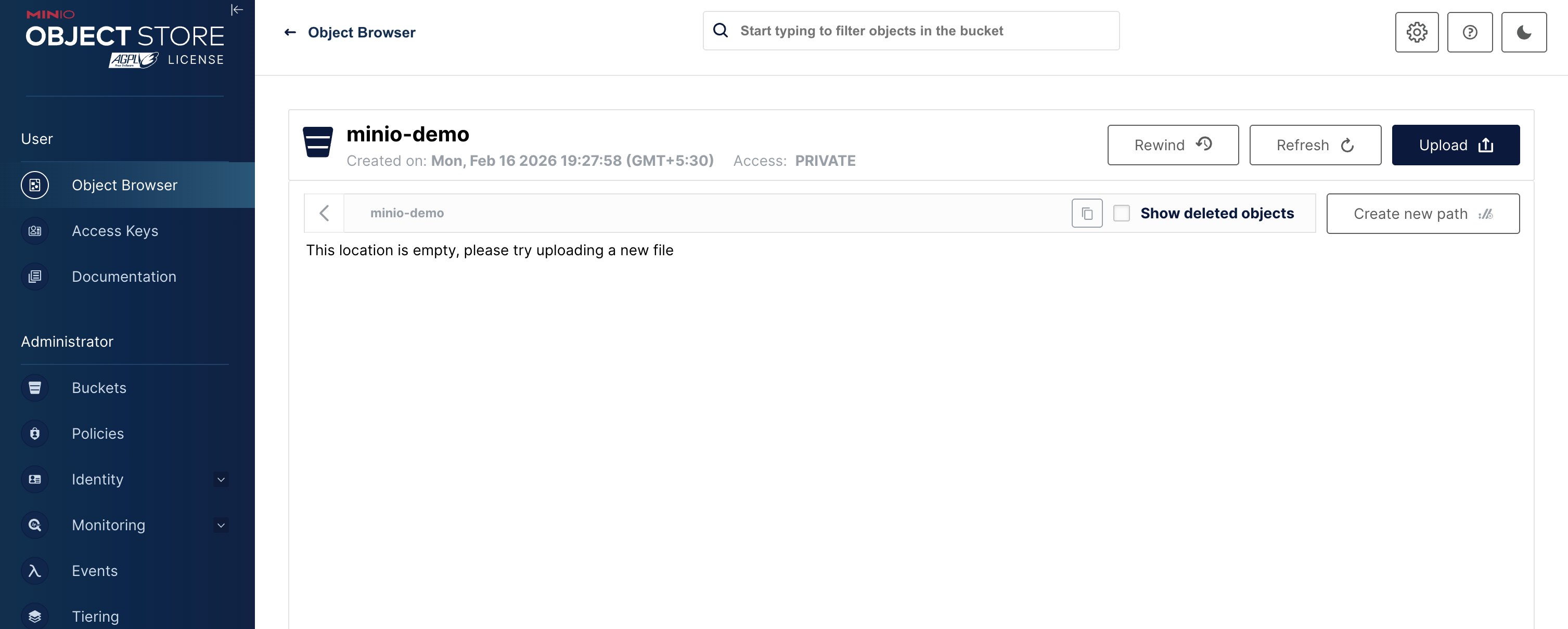
The tenant console UI displays the list of buckets, including the bucket that you created:
-
For OpenShift clusters, grant specific security context constraints (SCCs) to service account, allowing pods to run with elevated permissions.
kubectl get sts minio-demo-ss-0 -n minio-demo -o yaml | grep serviceAccountNameoc adm policy add-scc-to-user anyuid -z <service-account-name> -n minio-demo
Application access to the MinIO tenant
Applications should use the minio service to perform operations against the MinIO tenant.
Use the credentials obtained during deployment for application access.