FlashArray Cloud Drives
When you deploy Portworx with FlashArray or Everpure Cloud Dedicated (formerly Cloud Block Store) as a cloud storage provider, Portworx runs on each node and creates a storage pool using volumes provisioned from FlashArray, as defined in the StorageCluster specification. When a user creates a Portworx volume PersistentVolumeClaim (PVC), Portworx provisions the volume from this pool.
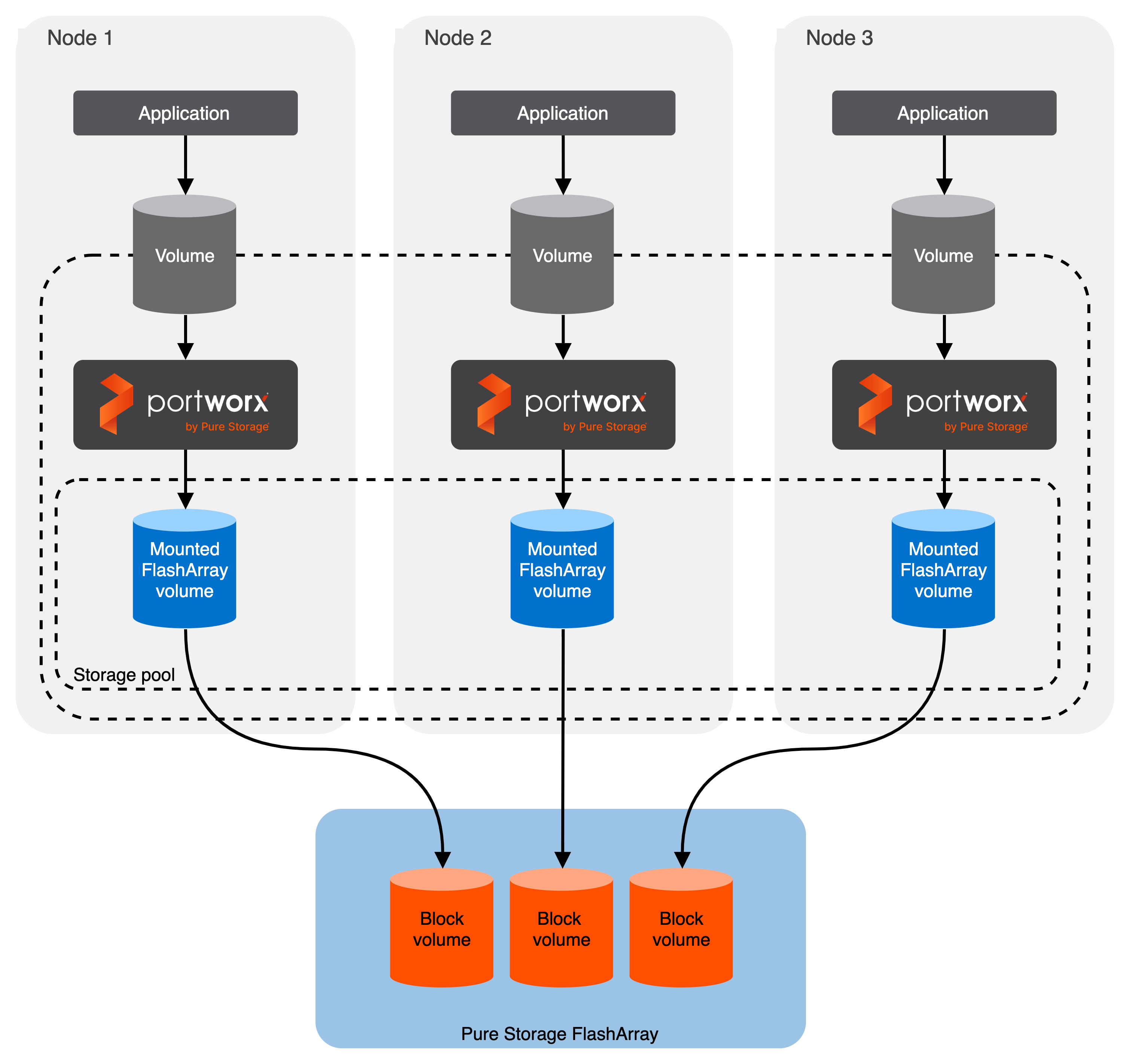
Cloud drives offer on-premises storage using FlashArray or cloud storage using Everpure Cloud Dedicated, while supporting:
- Automatic provisioning of block volumes from the Portworx storage pool
- Dynamic cluster expansion by adding or growing FlashArray-backed drives
- Full support for PX-Backup, Autopilot, and PX-StoreV2
Portworx manages the lifecycle of storage pool volumes on registered FlashArray devices, similar to how it operates with cloud-based block storage.
Limitations
- Volume groups are not supported.
- FlashArray host sharing with realms is not supported when using Secure Multi-Tenancy (SMT). You cannot mix hosts within a realm with hosts outside a realm on the same node. For example, using Boot from SAN with a host outside the realm is not supported.
- When using SMT with CSI topology, the same pod name must exist on all FlashArrays in your
pure.jsonconfiguration. The Portworx Operator applies thepodvalue from the first matchingdeviceSpecsentry cluster-wide as the system metadata device spec. Nodes in zones where that pod does not exist will fail to provision storage.