SkinnySnaps in IKS
Portworx SkinnySnaps provide you with a mechanism for controlling how your cluster takes and stores volume snapshots. This allows you to optimize performance by configuring how many snapshot replicas your cluster stores independently from the number of volume replicas you have.
Default snapshot behavior
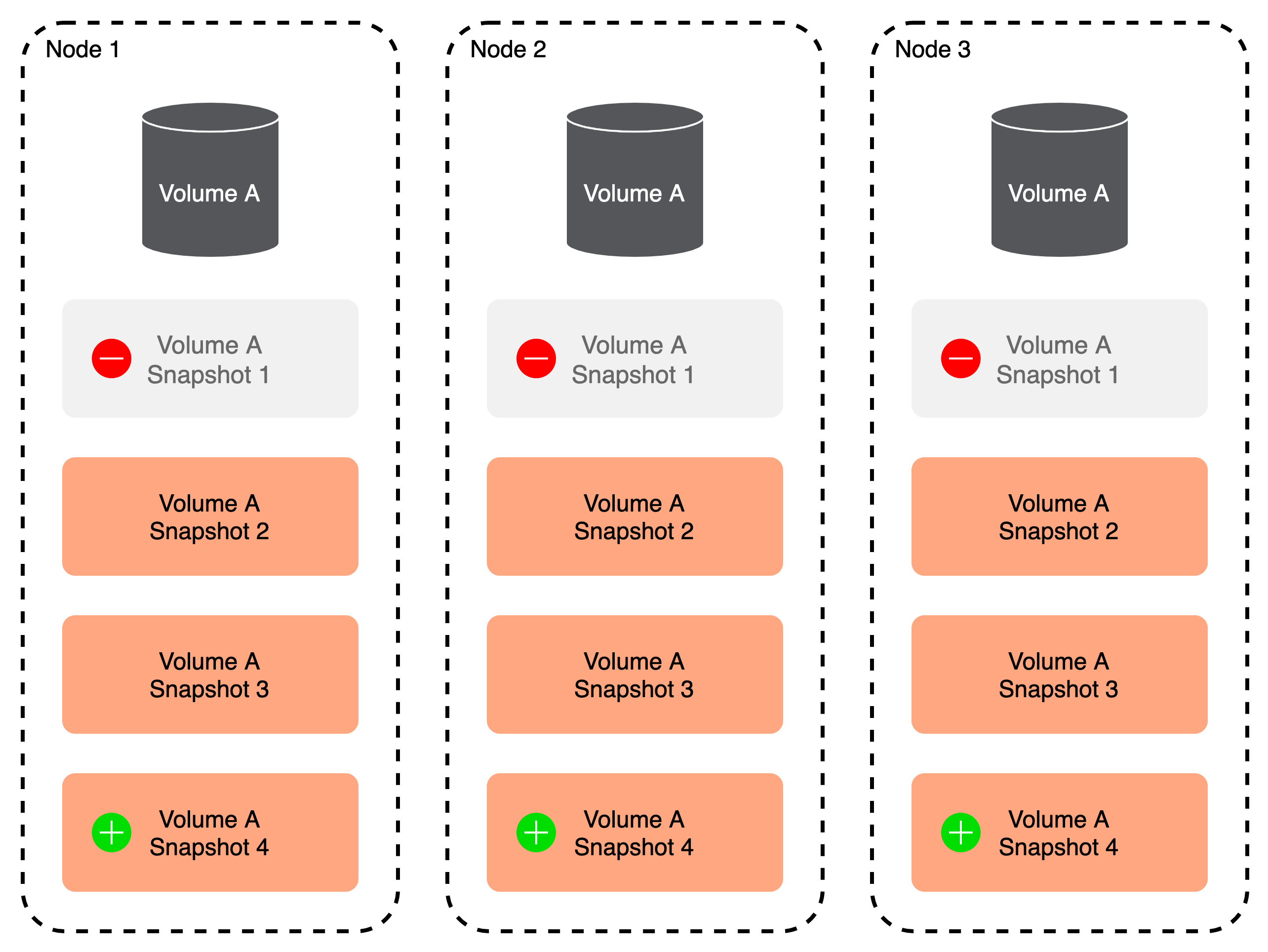
Regular snapshots take volume snapshots for each volume replica up to the retain limit.
Consider the following example:
- You're using a 3 node cluster
- You have a repl3 volume on that cluster with a retain of 3
This means that:
- You have one volume replica on each node
- each volume replica has all (3) accompanying snapshots
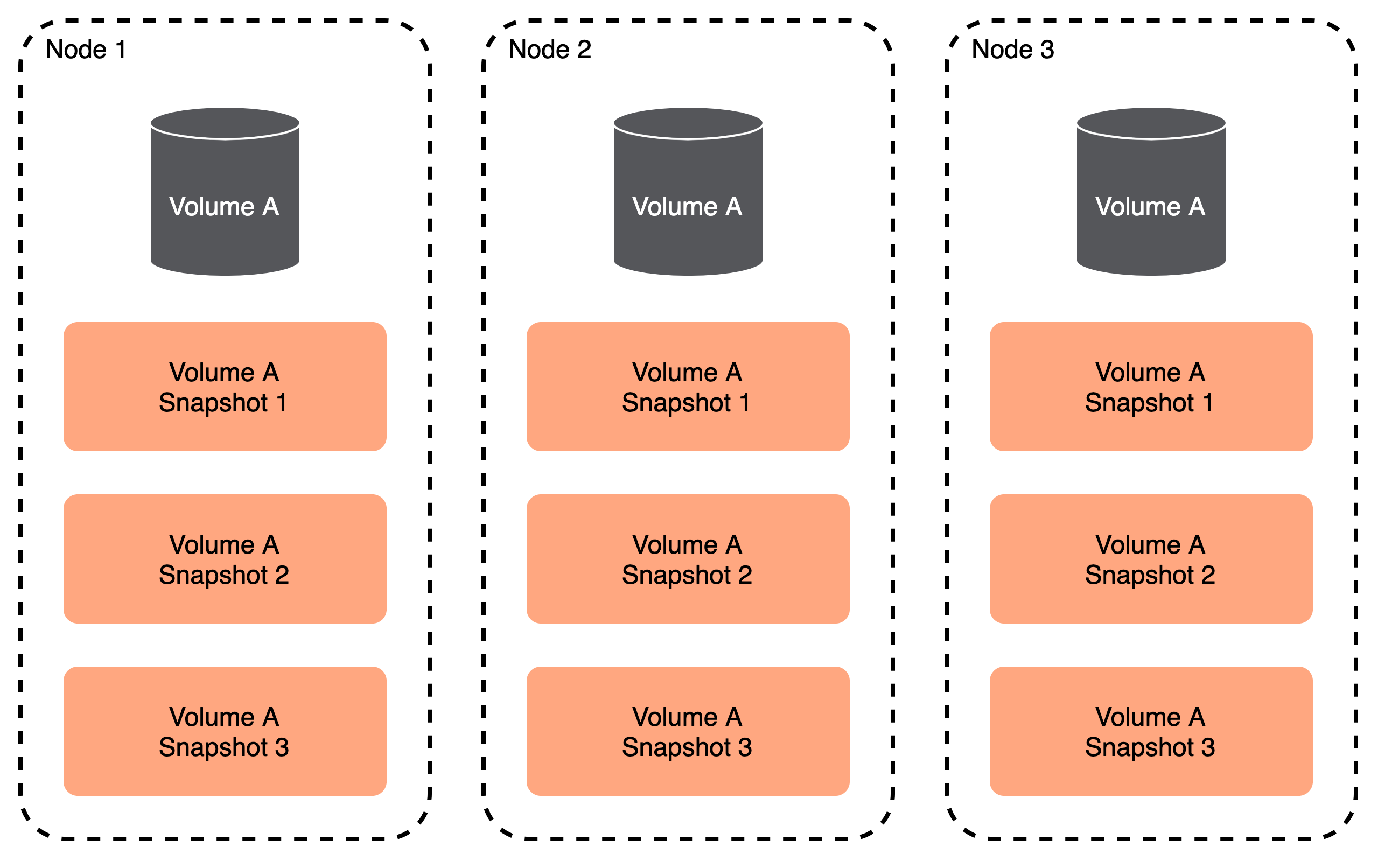
When Portworx reaches the limit of the snapshot retain policy, it replaces the oldest snapshot with the newest:
Default snapshot limitations
Default snapshots guarantee that all snapshots retain the same replication factor as their parent volumes. If a node with a highly available volume goes down, your snapshots will remain unaffected.
However, these snapshot operations can generate a large amount of concurrent IOPS for both your cluster drives and filesystem on any node that has a volume replca. This can impact latency, particularly because a snapshot operation triggers these IOPS all-at-once.
SkinnySnap behavior
Using SkinnySnaps, you can define a snapshot replication factor independently from the volume replication factor.
Consider the following example:
- You're using a 3 node cluster
- You have a repl3 volume on that cluster with a retain of 3
- You're using a snapshot replication factor of 1
This means that:
- You have one volume replica on each node
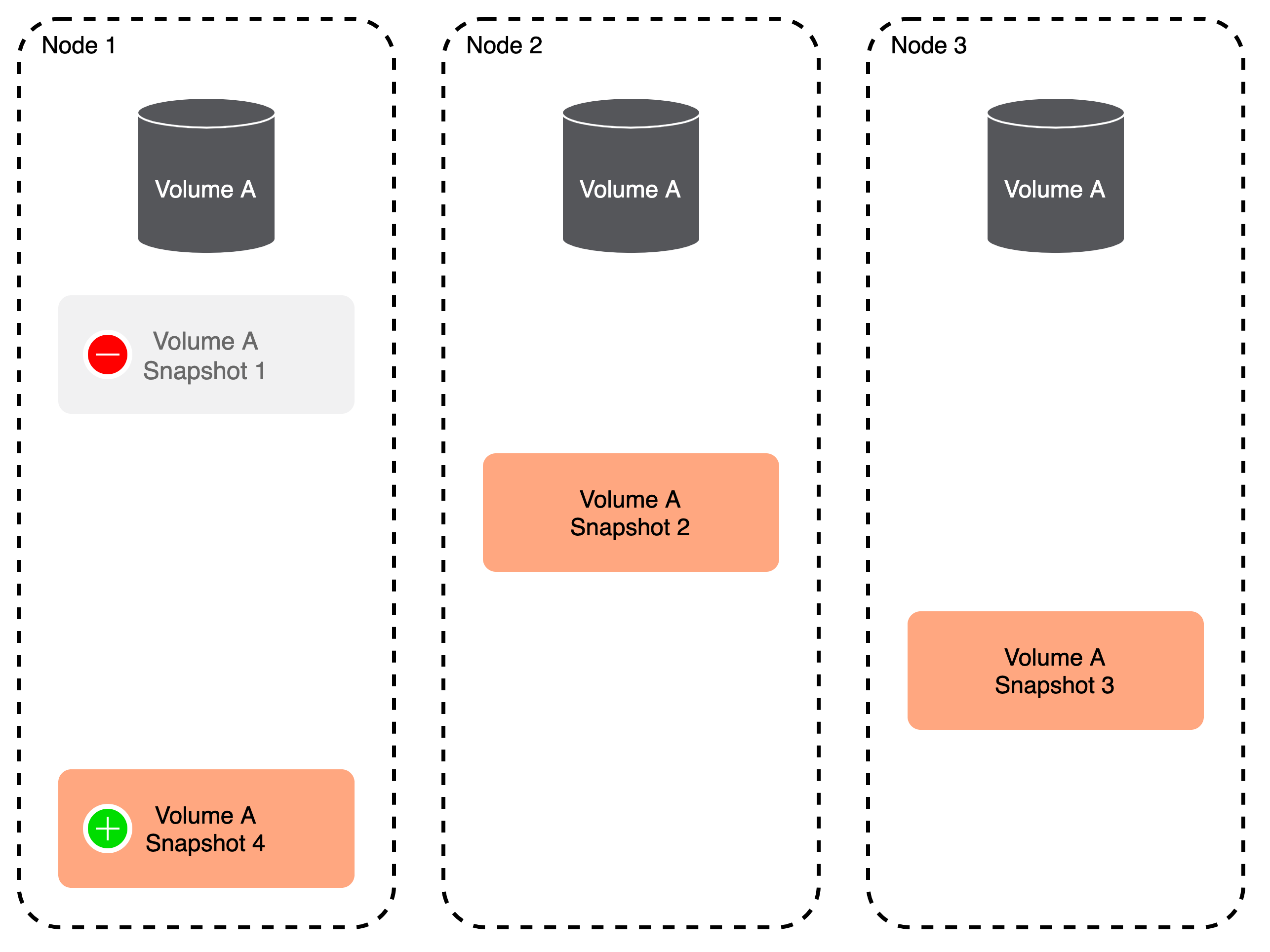
- Not all volume replicas have all accompanying snapshots
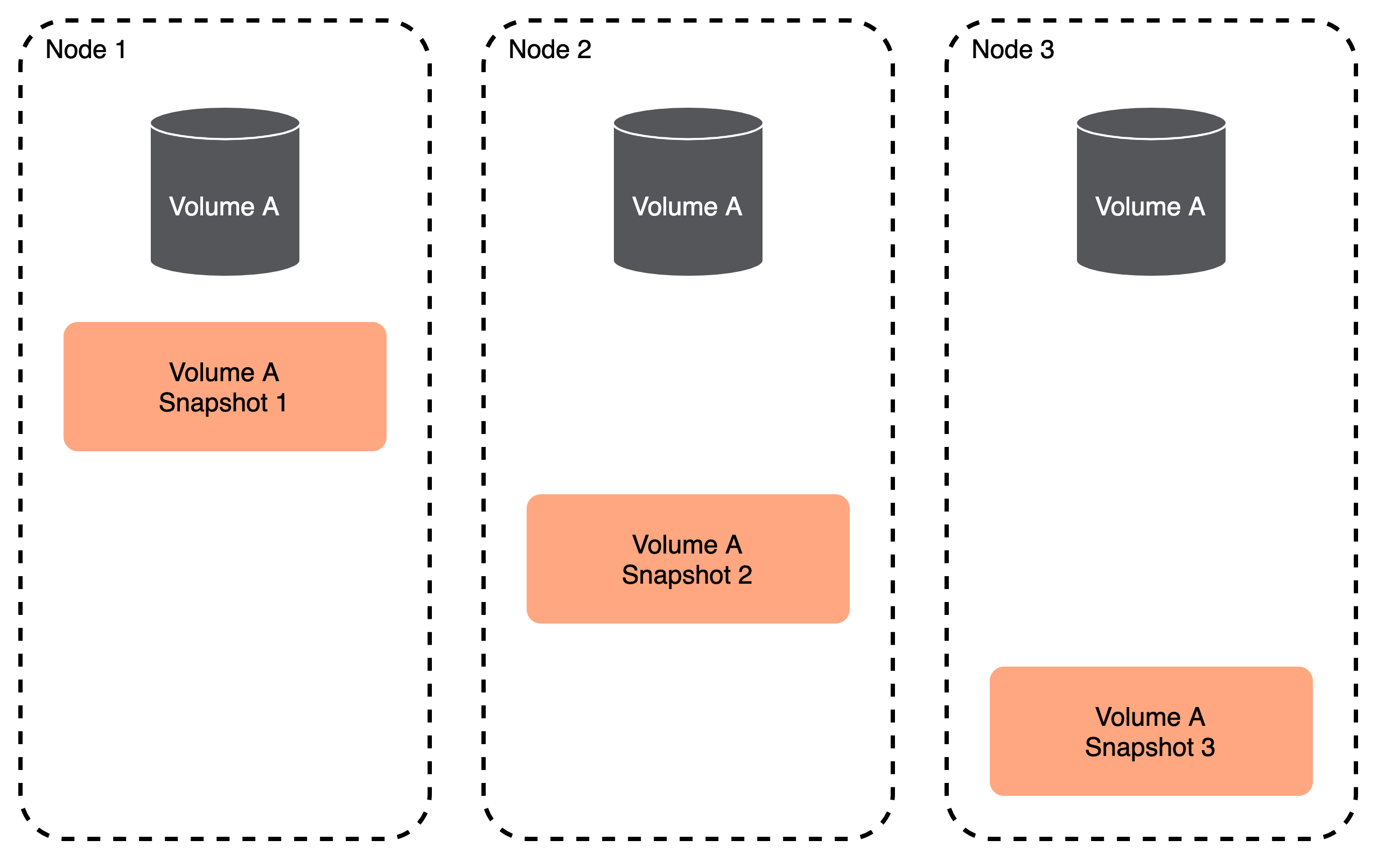
When you take a snapshot, Portworx takes only 1 replica. Because the retain policy is still 3, Portworx replaces the oldest snapshot with the newest:
SkinnySnap limitations
Under this method, not all of your snapshots reside with all of your volume replicas, so you lose HA factor. If a node goes down, even if another node contains a volume replica, you may still lose some snapshots:
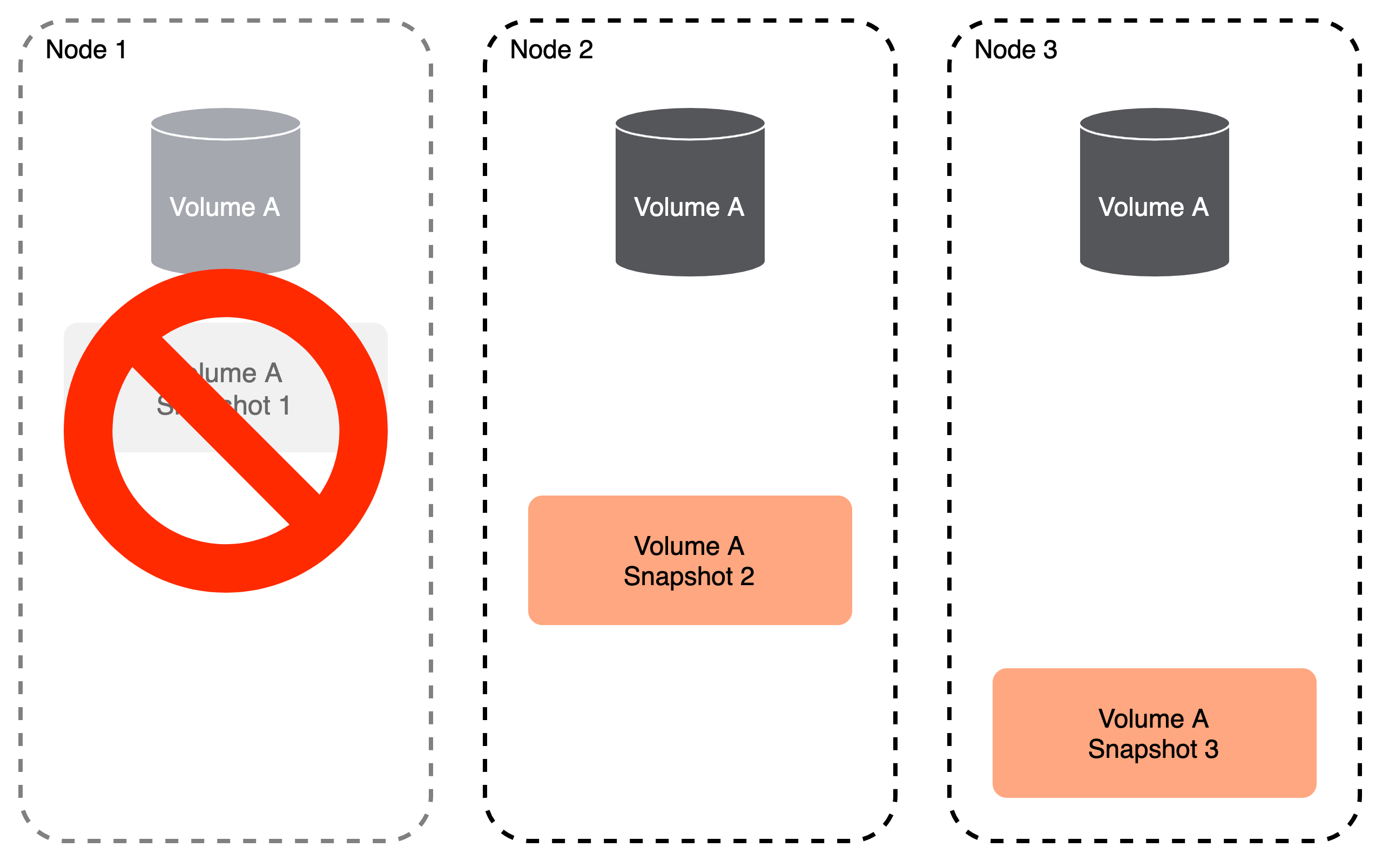
To mitigate this, while still improving performance over the default snapshot method, use a higher snapshot replication factor.
You cannot use skinnySnaps to increase the snapshot replication factor beyond the number of volume replicas. In other words, if you have a volume with a replication factor of 2, you cannot have a snapshot replication factor of 3.
Replica selection
Portworx guarantees that if a node goes down, it'll take a minimum number of snapshots down with it by distributing snapshot replicas over as many nodes as possible. How you configure the snapshot replication factor and how you configure to determine the tradeoff you make between performance improvement and snapshot durability.
Consider the following scenarios for a 3 node cluster:
- You need a minimum snapshot replication factor of 2 to ensure that if a node goes down, you'll still have at least 1 replica remaining.
- If you have a snapshot replication factor of 3, you will see no performance improvements over traditional snapshots.
- A snapshot replication factor of 1 is the most performant, but you will lose a snapshot if a node fails.
Use SkinnySnaps
Enable SkinnySnaps
By default, the skinnySnaps feature is disabled. You must enable it as a cluster option.
Enter the following pxctl command:
pxctl cluster options update --skinnysnap on
SkinnySnap causes snapshot to have less replication factor than the parent volume. Do you still want to enable SkinnySnap? (Y/N): Y
Successfully updated cluster-wide options
Configure SkinnySnaps
Once you've enabled SkinnySnaps for your cluster, you can configure them using cluster options:
pxctl cluster options update --skinnysnap-num-repls 2
Successfully updated cluster-wide options
Restore SkinnySnaps
Replication for SkinnySnaps differ from the parent volumes. Use one of the following methods to restore these kinds of snapshots:
Perform an in-place restore
- Reduce the parent volume replication factor to match with the replication of SkinnySnap and the replica location.
- Perform an in-place restore.
- Increase the replication factor to restore high availability to the parent volume.
Clone the SkinnySnap
- Clone the SkinnySnap and increase the replication factor to a desired value.
- Use a pre-provisioned volume to point the application to this new clone.