Add ARO Clusters
Before you add Microsoft Azure Red Hat OpenShift cluster in Portworx Backup, ensure that the following prerequisites are met:
Prerequisites
-
Portworx Backup version 2.7.0 and above
-
ARO version 4.12.25 and above
-
Refer Cross zone backup and restore for configuration information.
Add the cluster to Portworx Backup
-
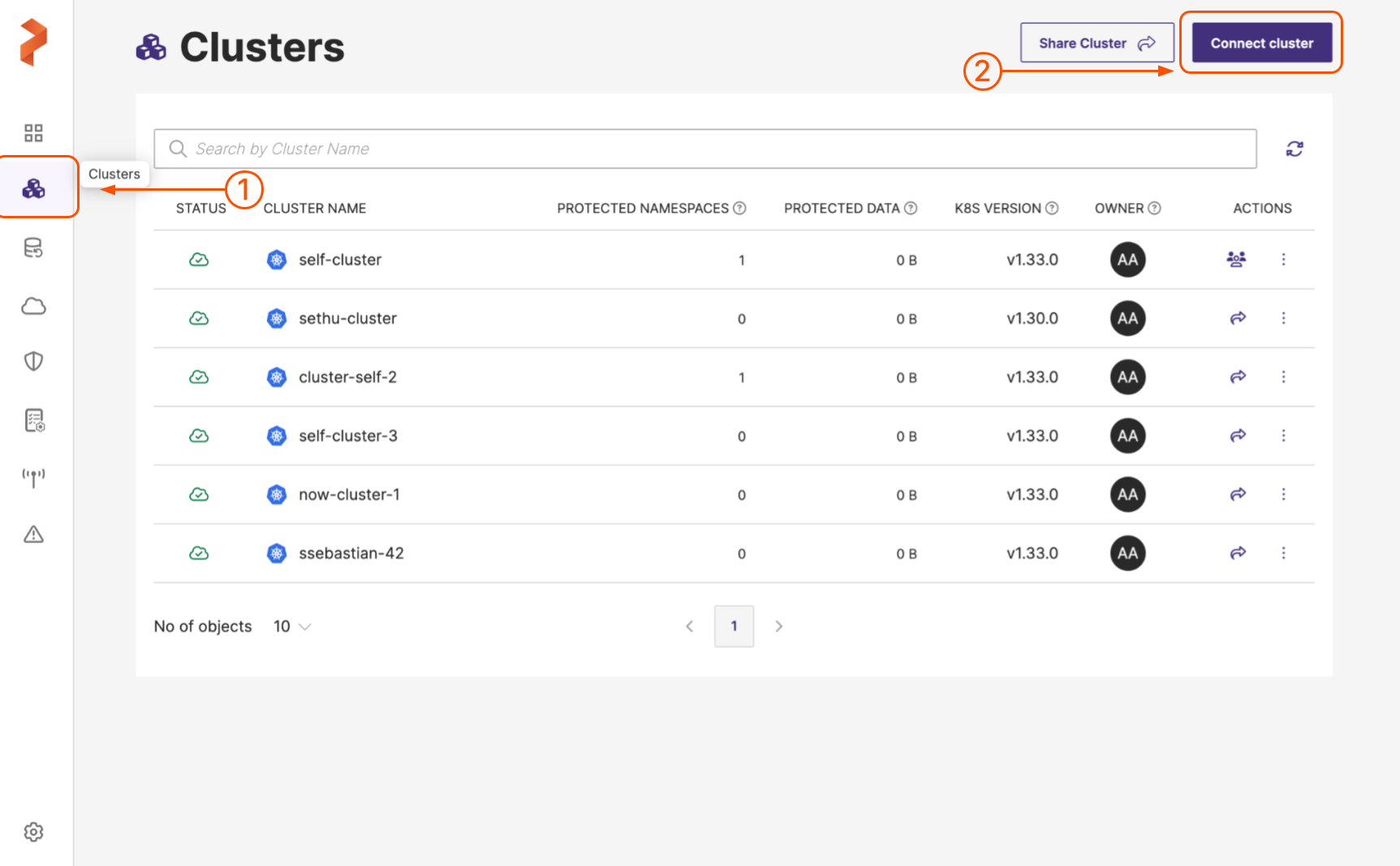
In the home page, from the left navigation pane, click Clusters.
-
In the upper-right corner, click Connect cluster:
-
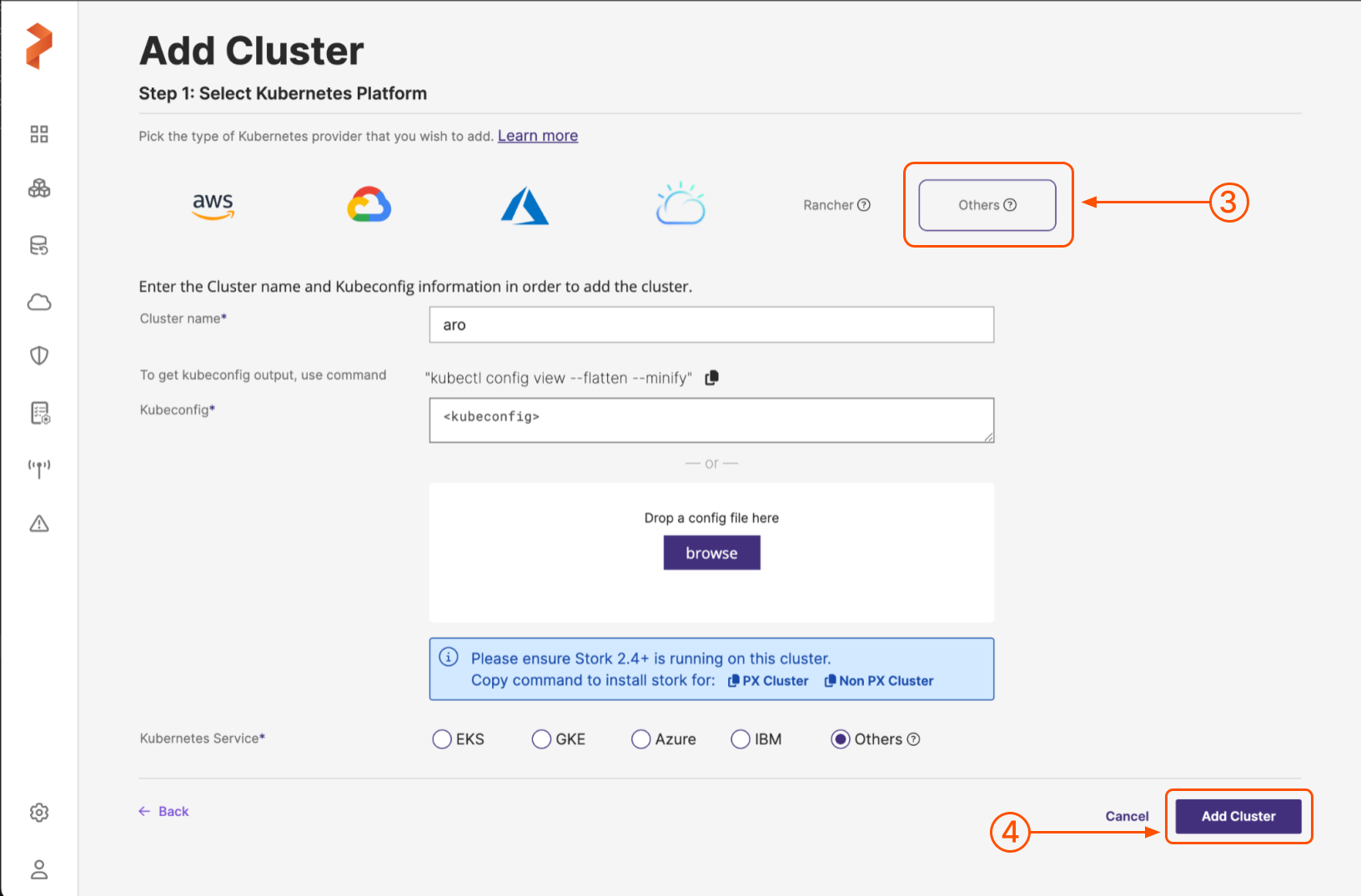
In the Add Cluster page, under Select Kubernetes Platform, click Others icon and then enter the following cluster details:
-
Cluster name: enter a name for your cluster
-
Kubeconfig: retrieve the Kubeconfig from your cluster and paste it in this field or click Browse to upload the config from a file
-
Kubernetes Service: choose Others
-
-
When you're done, select the Add cluster button.
Portworx Backup adds your ARO cluster to the system and displays the newly added cluster in the Clusters page.