Revoke Access of a Role
When a role’s access is no longer needed or security protocols require access limitations, you can revoke a role from a user or a group. This removes or deletes the access privileges linked to the role from the user/group and they can no longer perform the tasks they used to with the role you have revoked.
Prerequisites
-
Identify the user/group whose role you want to revoke.
-
Verify the role's responsibilities to ensure that revoking the role will not impact the critical workflows or access to the resources they might still need.
- Revoking a super admin role involves removing a user/groups highest-level administrative privileges within PXB ecosystem. This role typically has unrestricted access to all PXB resources (Which includes RBAC and non-RBAC), so careful planning is required when revoking it to avoid unintended disruptions or security issues.
- To avoid a gap after revoking PXB (either default roles or custom roles) role, Portworx by Everpure recommends to have at least one or two other super admins with equivalent access before removing the role of the identified user. If no other super admin role exists in PXB, consider creating one before proceeding.
Revoke role of a user
To revoke a role of a user from PXB web console, perform the following steps:
-
From the home page, go to left navigation pane.
-
In the bottom of left navigation pane, click User Profile > User Management.
-
From the User Management page, navigate to User > Users tab, find the user you want to revoke the role from.
-
Navigate to the end of the identified user's row and click Vertical Ellipsis and select Manage Roles.
-
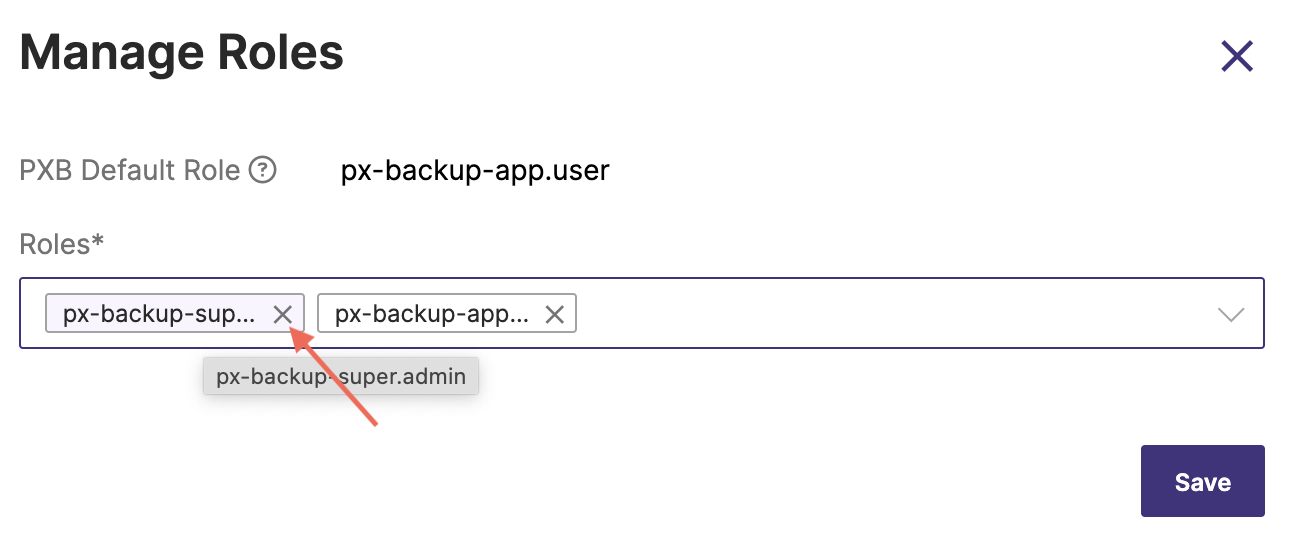
In the Manage Roles window, click on the X icon to revoke the role as shown in the following illustration:
-
Click Save.
PXB web console displays a notification message on successful revoking of the role for the chosen user.
Verify that the revoked user no longer has access role privileges like PXB resources or data that were previously accessible.
The above procedure remains the same regardless of the role you want to revoke for a user.
Revoke role of a group
To revoke a role of a group from PXB web console, perform the following steps:
-
From the home page, go to left navigation pane.
-
In the bottom of left navigation pane, click User Profile > User Management.
-
From the User Management page, navigate to User > Groups tab, find the group you want to revoke the role from.
-
Navigate to the end of the identified group's row and click Vertical Ellipsis and select Manage Roles.
-
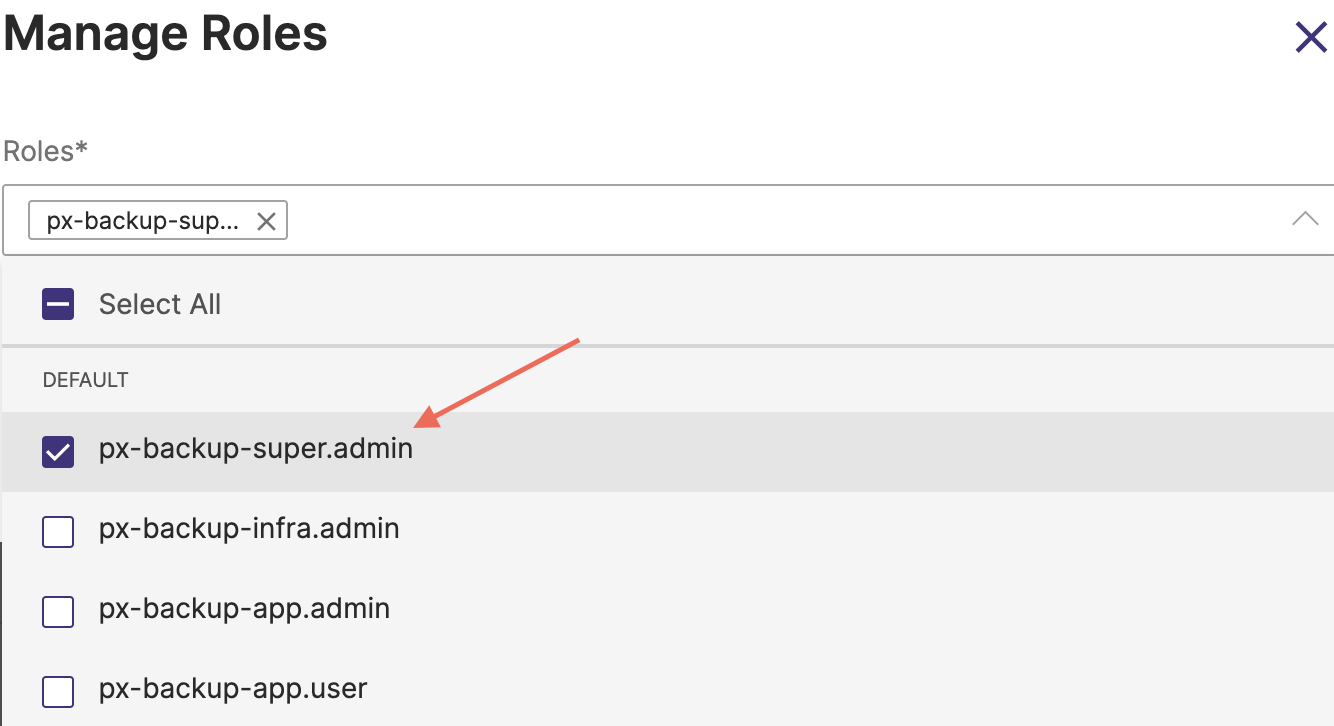
In the Manage Roles window, click on the X icon to revoke the role associated with the group as shown in the following illustration:
-
Click Save.
PXB web console displays a notification message on successful revoking of role for the chosen group.
Related Topics